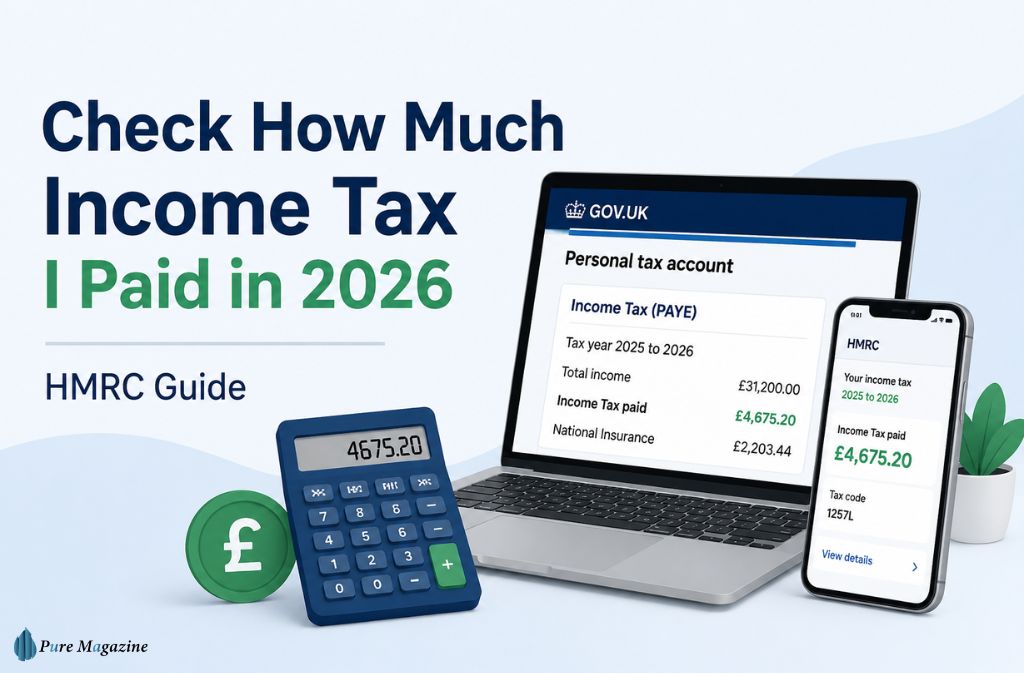
Most people don’t think about their income tax until something feels off. A smaller payslip. A new tax code. A mortgage application demands proof of earnings. Or a refund that never showed up.
That’s exactly why searches for “check how much income tax I paid” have grown sharply in 2026 — and the reasons go deeper than curiosity.
This year, more UK workers are pulling up their PAYE records because of payroll corrections, emergency tax code problems, and the wider rollout of Making Tax Digital from HM Revenue and Customs. The process itself is easier than it used to be, but plenty of people still struggle to find the right place to look — or to understand what the numbers actually mean once they get there.
This guide covers everything you need:
- How to check your income tax online
- How to view previous tax years
- What the HMRC app now shows in 2026
- How emergency tax codes affect your records
- Why your P60 may not match HMRC
- How to spot possible refunds or underpayments
- What Making Tax Digital means for workers and landlords
Unlike most guides, this one also explains how to reconcile HMRC app data with payroll records — an increasingly common issue in 2026 that most generic tax calculators simply don’t address.
Why More People Are Checking Their Income Tax in 2026
Several things converged at once. HMRC expanded digital tax monitoring. Payroll reconciliation checks increased after the 2025/26 tax year-end. And Making Tax Digital rules now apply to a much wider group of taxpayers.
On top of that:
- More people changed jobs during the past 12 months
- Emergency “week 1” tax codes became noticeably more common
- PAYE corrections are taking longer to sync across systems
- HMRC app usage spiked sharply throughout the year
- Landlords and sole traders now face new digital reporting requirements
Many users are catching tax issues earlier simply because the HMRC app sends alerts faster than a posted letter ever could. That’s a genuine improvement — but it also means more people are staring at numbers they don’t fully understand.
What Does “Check How Much Income Tax I Paid” Actually Mean?
At its core, it means reviewing the total tax deducted from your wages, pension, or other taxable income across a given tax year.
That usually includes:
- PAYE income tax deductions
- National Insurance contributions
- Employer payroll submissions
- Tax code history
- Previous tax year summaries
You can check this through your Personal Tax Account, the HMRC app, a P60, payslips, or Self Assessment records — depending on how your income is taxed.
The Fastest Ways to Check Your Income Tax Online
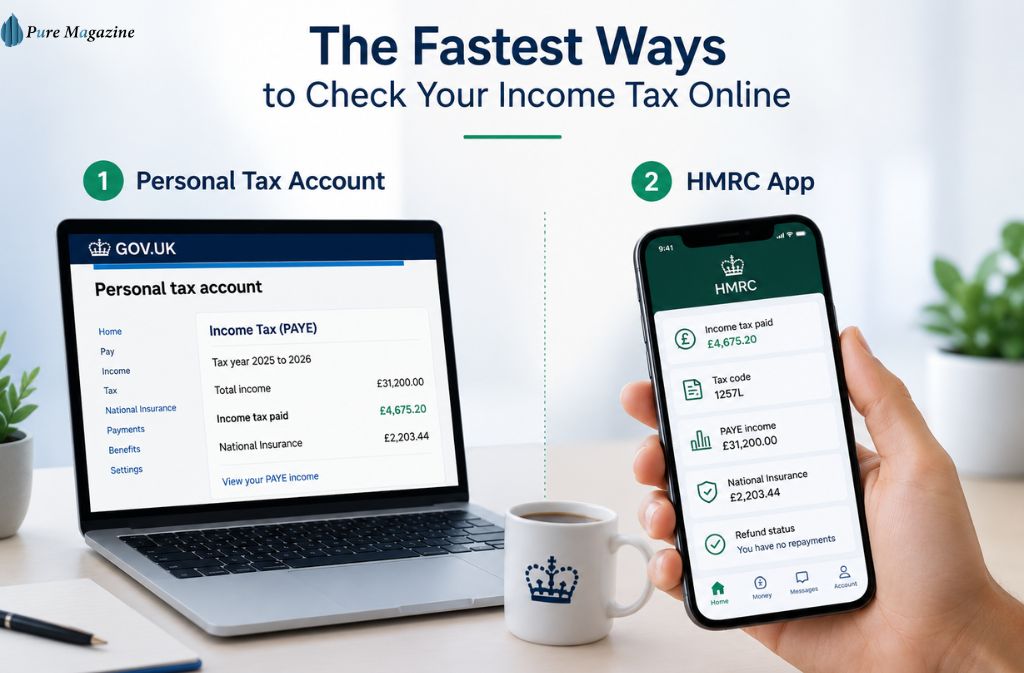
Method 1: Use Your Personal Tax Account
Your Personal Tax Account is HMRC’s online dashboard — and it’s the most complete view of your tax position. From here, you can see income tax paid, PAYE income, tax code information, National Insurance records, and any outstanding refunds or underpayments.
To access it, you’ll need to sign in through GOV.UK’s Personal Tax Account using your Government Gateway credentials.
Steps to Check Your Tax Paid
- Sign in to your Personal Tax Account
- Open the PAYE section
- Select the relevant tax year
- Review: taxable income, tax paid, National Insurance, and employer details
What You Need Ready
- National Insurance number
- Government Gateway ID
- Recent payslip or P60
- Passport or driving licence
- Employer PAYE reference (sometimes required)
Method 2: Use the HMRC App
The HMRC app has improved significantly in 2026 and is now the easiest method for most employed workers. You can download it from the Apple App Store or Google Play Store.
The app now shows:
- Income tax paid
- Your current tax code
- PAYE income
- National Insurance contributions
- Refund status
- Simple Assessment notices
It also supports Face ID, PIN security, and faster login authentication — all of which reduce the friction that used to make people avoid checking altogether.
What I’ve Noticed Using the HMRC App in 2026
The HMRC app feels noticeably quicker in 2026 compared to the older browser-based Government Gateway portal. The “Income and Tax” section surfaces PAYE totals much faster, especially after employer payroll submissions update overnight. The app’s “Money” tab is far easier for tracking refund progress than navigating the desktop portal — particularly if you’re dealing with a correction that’s taking weeks to resolve.
A few things stand out: Face ID login cuts down on repeated verification prompts. Tax code alerts appear earlier. National Insurance totals sync faster. And PAYE updates typically land within 24–72 hours after payroll processing — though Friday paydays sometimes push this into early the following week due to Real-Time Information (RTI) lag.
That RTI lag is worth knowing about. The biggest complaint in 2026 isn’t that the app is wrong — it’s that it doesn’t update instantly. If you get paid on a Friday and check Saturday morning, you may still see last month’s figures. Give it until Monday or Tuesday before assuming something is missing.
One more thing: the blue progress bar for refunds in the app gives you a clearer real-time status than the old portal ever did. If you’re waiting on a repayment, that’s the quickest way to track it.
💡 Human Tip — The Best Time to Call HMRC
If the app shows a discrepancy and you genuinely need to call, Tuesdays at 8:30 AM are still the sweet spot in 2026. Mondays are the busiest. Friday afternoons are almost pointless. Going in armed with your P60 totals and payslip Year-to-Date figures first means you’re far less likely to be bounced between departments.
How to Check How Much Income Tax You Paid Last Year
For most employed workers, the HMRC online portal handles this cleanly. If you’re self-employed or a landlord, your Self Assessment records will give you a more complete picture — particularly now that MTD is widening the net.
The Documents That Matter Most
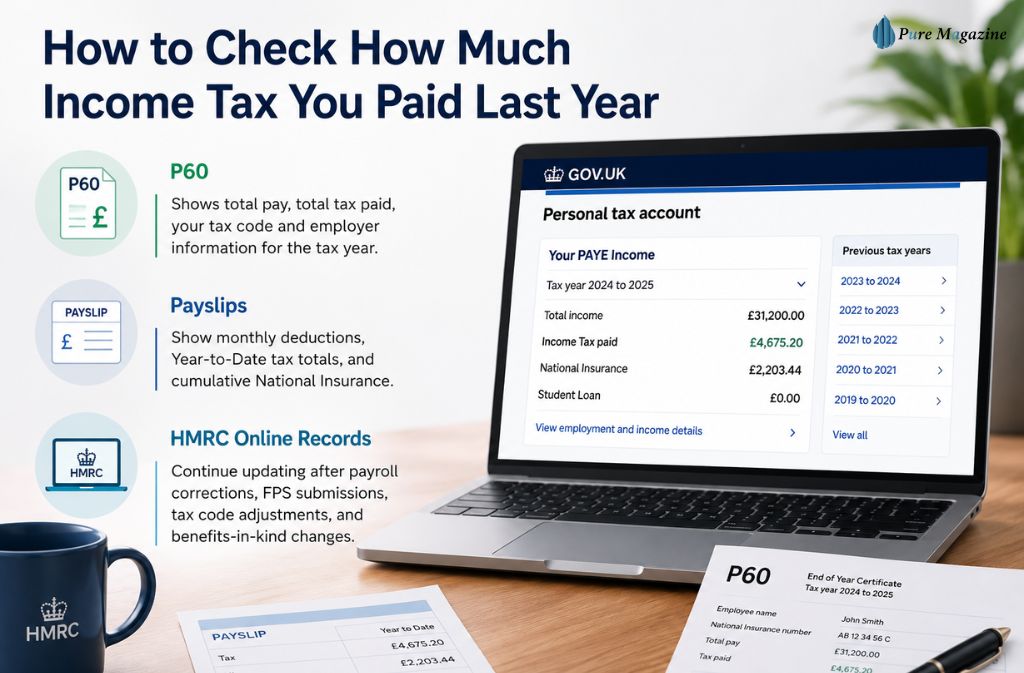
P60
Your P60 shows total pay for the tax year, total tax paid, your tax code, and employer information. Employers must issue one after the tax year ends — and if yours has errors, that’s a separate problem worth resolving promptly. Read more on P60 tax code errors and how to fix them.
Payslips
Payslips show monthly deductions, Year-to-Date tax totals, and cumulative National Insurance. The YTD column is particularly useful when comparing against HMRC’s live figures — a persistent gap between the two often points to an FPS submission that hasn’t landed yet.
HMRC Online Records
HMRC records can continue updating after payroll corrections, amended Full Payment Submissions (FPS), tax code adjustments, and benefits-in-kind changes. That’s why HMRC figures sometimes differ from an older payslip — it’s not necessarily an error on either side.
How to Reconcile HMRC App Data With Your P60
Reconciling tax records means comparing what HMRC shows online with what your employer-issued documents say. This matters more in 2026 because payroll corrections after year-end are more frequent, and even small gaps can trigger underpayment notices or delay refunds.
| Record Type | What It Shows |
|---|---|
| P60 | Final employer totals for the tax year |
| HMRC App | Live PAYE records — updated as submissions arrive |
| Payslip YTD | Running yearly totals from your employer |
| FPS Submission | Payroll data that your employer sends to HMRC each pay period |
Common Reasons Numbers Don’t Match
Delayed FPS Submissions: Some employers submit corrections weeks after the original payroll run. HMRC won’t show the updated figures until the corrected FPS lands.
Duplicate Employment Records: Changing jobs mid-year can temporarily create duplicate payroll entries in HMRC’s system, which can inflate or distort the figures you see.
Tax Code Corrections: If you spent time on an emergency tax code, the initial totals will often look wrong until the correction processes through. This is more common than most people realise.
Benefits Adjustments: Company cars, private medical cover, and other benefits in kind can alter your taxable income figure well after the tax year ends.
If the gap is large — say, more than a few hundred pounds — contact your payroll department before calling HMRC. Payroll can often identify a delayed FPS submission faster than HMRC’s support line can.
How to Spot an Emergency Tax Code in 2026
An emergency tax code is a temporary PAYE code HMRC uses when it doesn’t yet have complete income information from your new employer. It often results in you paying significantly more tax than you should — and then waiting for a correction.
| Tax Code | Meaning |
|---|---|
| 1257L W1 | Week 1 emergency code — each pay period taxed independently |
| 1257L M1 | Month 1 emergency code — same effect, monthly payroll |
| BR | Basic rate applied to all income — no personal allowance used |
| 0T | No personal allowance applied at all |
Emergency codes usually appear after starting a new job, taking a second job, beginning pension withdrawals, or after employer payroll delays. Watch for unusually high deductions, lower net pay, or shifting tax estimates inside the HMRC app — those are the clearest warning signs.
Many refund claims in 2026 trace directly back to emergency code overpayments. If you spot one of these codes on a recent payslip, check whether your tax code is incorrect and what to do about it. You can also use HMRC’s tax code update service on GOV.UK to correct it without waiting for HMRC to act automatically.
Check How Much Tax I Owe vs Tax I Paid
Many people confuse “tax owed” with “tax paid” — they look similar in HMRC’s interface, but the implications are very different.
| Term | Meaning |
|---|---|
| Tax Paid | Tax HMRC already collected through PAYE or Self Assessment |
| Tax Owed | Additional unpaid tax HMRC believes you still owe |
| Tax Refund | Overpaid tax, you may be able to reclaim |
| Tax Code | The code your employer uses to calculate how much to deduct |
If HMRC shows an amount owed that surprises you, it often links back to a Simple Assessment notice (PA302) — worth reading before you assume there’s been a mistake.
What Is a Simple Assessment From HMRC?
A Simple Assessment is a tax calculation HMRC sends when it believes you underpaid tax and can’t collect that amount automatically through PAYE. You might receive one because of untaxed pension income, incorrect tax codes, employer reporting gaps, benefits adjustments, or multiple income sources running simultaneously.
Simple Assessments have become more common since HMRC expanded its digital reconciliation checks — partly because the system now catches more discrepancies earlier, and partly because more income types feed into PAYE records than they used to.
If you receive one, don’t panic. Check it against your P60 and payslip totals first. If the figures don’t add up, you have the right to query it.
Making Tax Digital and How It Changes Tax Checks in 2026
Making Tax Digital (MTD) is HMRC’s push to move tax records entirely into digital, real-time reporting using approved software. It’s not just a technical upgrade — it changes when and how often your tax information updates.
From April 2026, many landlords and sole traders earning over £50,000 must keep digital records, use MTD-compatible software, and submit quarterly updates to HMRC. This is a significant shift for anyone who previously managed rental income through spreadsheets or paper records. You can find HMRC’s official MTD guidance at GOV.UK’s MTD for Income Tax page.
For employed workers, the practical effect is subtler: more tax information now updates throughout the year, which means PAYE corrections and income adjustments appear faster than before. The flip side is that discrepancies also surface faster — so if something is wrong, you’ll likely see it in the app before you’d have noticed it on a paper statement.
More automated checks also mean more automated queries. If you’re a landlord trying to understand your tax exposure alongside employment income, it’s worth reading about managing tax on rental income alongside your PAYE position — because MTD treats both together.
2026/27 Key Income Tax Thresholds
| Tax Element | 2026/27 Figure |
|---|---|
| Personal Allowance | £12,570 (frozen — no change from 2025/26) |
| NI Primary Threshold | £12,570 (also frozen at the same level) |
| Basic Rate Band | 20% |
| Higher Rate Threshold | £50,270 |
| Additional Rate Threshold | £125,140 |
The personal allowance freeze continues to pull more workers into higher tax bands through fiscal drag — even without a formal rate rise. Understanding the UK income tax bands helps you spot whether your code reflects the right allowances.
Dividend tax rates also increased from April 2026, which means more side-income earners and small business owners are reviewing their records this year — often for the first time.
Signs You May Have Overpaid Tax
Overpaying tax is more common than most people realise — and HMRC doesn’t always flag it proactively. You may have overpaid if you changed jobs mid-year, stopped working temporarily, had an employer who used an emergency tax code, received irregular pay, or withdrew pension income during the year.
Real-World Example
A worker earning £31,000 changed employers twice during the 2025/26 tax year and stayed on a Month 1 emergency code for nearly three months. After payroll corrections finally synced to HMRC’s records, the app showed an overpayment of roughly £700.
Rather than waiting for a posted letter, the worker tracked refund progress through HMRC’s digital refund tool and received payment within two weeks of the correction processing. The key was checking the app after each payroll cycle rather than waiting until the end of the tax year.
If you think you’re owed money back, check whether you have any unclaimed tax refunds sitting with HMRC — many workers don’t realise these exist until they actively look.
You might also be entitled to relief you haven’t claimed. Working from home tax relief is one of the more consistently overlooked ones, particularly for hybrid workers who never formally claimed it during the post-pandemic period.
Common Mistakes When Checking Income Tax
Using gross pay instead of taxable pay: Not all earnings are taxed equally. Pension contributions, salary sacrifice arrangements, and some benefits reduce your taxable income before PAYE kicks in.
Ignoring previous employers: If you changed jobs, older payroll records still feed into your yearly tax calculation. A missing FPS from a former employer can quietly distort the numbers.
Confusing National Insurance with income tax: They’re separate deductions with separate thresholds. NI appears on the same payslip, but the rules governing it are different — and checking one doesn’t tell you anything about the other.
Assuming HMRC updates instantly: RTI (Real-Time Information) submissions follow payroll cycles. Updates can take several days, and Friday payday often means Monday or Tuesday before the app reflects the change.
Second job taxation: If you hold more than one job, the tax treatment is often misunderstood. Read up on how second job tax works in the UK before assuming something is wrong with your code.
Quick Checklist Before Contacting HMRC
- ✓ Check your current tax code on the HMRC app or payslip
- ✓ Compare your P60 totals against HMRC’s online figure
- ✓ Review payslip Year-to-Date figures for the full tax year
- ✓ Confirm your National Insurance number is correct on all records
- ✓ Check whether any previous employer’s payroll is still pending
- ✓ Note any periods where you had an emergency tax code applied
- ✓ Use the UK after-tax calculator to cross-check your expected take-home
Working through this list first resolves most common discrepancies without needing to call. And when you do need HMRC — Tuesday at 8:30 AM, remember.
FAQs
Q. How do I check how much income tax I paid online?
To check how much income tax you paid online, sign into your Personal Tax Account on GOV.UK and open the PAYE section. Select the relevant tax year to view your taxable income, PAYE deductions, National Insurance contributions, and employer payroll records.
You can also check your tax paid through:
- the HMRC app
- your P60
- monthly payslips
- Self-assessment records
For most employees in 2026, the HMRC app is the fastest method.
Q. How do I check how much income tax I have paid this year?
You can check how much income tax you have paid this year through your Personal Tax Account, the HMRC app, or your latest payslip.
Inside the PAYE section, HMRC shows:
- total taxable income
- income tax paid
- National Insurance contributions
- current tax code
Most PAYE records update within 24–72 hours after payroll processing.
Q. Can I check my income tax for previous years?
Yes. HMRC usually allows you to check up to five previous tax years online through your Personal Tax Account.
You can view:
- tax paid
- PAYE income
- previous employers
- National Insurance records
- historical tax codes
Your P60 documents also show yearly tax totals for completed tax years.
Q. Why does my HMRC tax figure not match my P60?
Your HMRC figure may not match your P60 because payroll corrections or Full Payment Submission (FPS) updates are still processing.
This commonly happens when:
- An employer submits amended payroll data
- You changed jobs during the tax year
- An emergency tax code applied temporarily
- benefits-in-kind changed your taxable income
If the difference is significant, contact your payroll department before contacting HMRC.
Q. What is an emergency tax code?
An emergency tax code is a temporary PAYE tax code HMRC uses when payroll information is incomplete.
Common emergency tax codes include:
- 1257L W1
- 1257L M1
- BR
- 0T
Emergency tax codes usually appear when:
- starting a new job without a P45
- taking a second job
- beginning pension withdrawals
They often result in higher tax deductions until HMRC updates your records.
Q. Can I check my tax without a Government Gateway account?
Yes. You can still check how much tax you paid using your:
- P60
- payslips
- P45
- employer payroll records
However, a Government Gateway account provides the most accurate and up-to-date information, including:
- refund tracking
- PAYE corrections
- tax code changes
- previous tax years
Q. What is a Simple Assessment from HMRC?
A Simple Assessment is an HMRC tax calculation issued when underpaid tax cannot be automatically collected through PAYE.
You may receive a Simple Assessment because of:
- untaxed pension income
- multiple income sources
- incorrect tax codes
- employer payroll errors
HMRC usually sends a PA302 notice explaining the calculation and payment deadline.
Q. Does National Insurance count as income tax?
No. National Insurance and income tax are separate deductions with different thresholds and rules.
Income tax funds general government spending, while National Insurance mainly contributes toward:
- State Pension entitlement
- certain benefits
- NHS funding
Both deductions appear separately on your payslip and HMRC records.
Q. What is the fastest way to check tax paid in 2026?
For most employed workers, the HMRC app is currently the fastest way to check tax paid in 2026.
The app allows you to:
- view PAYE income
- track tax refunds
- Check tax codes
- Review National Insurance contributions
- access previous tax years
Most payroll updates appear within 24–72 hours after employer submissions, and Face ID login makes access much quicker than the older desktop portal.
Conclusion
More people check their PAYE records in 2026 because HMRC’s systems are becoming faster, more connected, and quicker to surface discrepancies — whether you’re ready for them or not.
The easiest way to check how much income tax you paid is through your Personal Tax Account or the HMRC app. But knowing where to look is only half the job. Understanding what you’re looking at — tax codes, FPS lags, emergency deductions, year-end reconciliation — is what separates a quick check from one that actually tells you something useful.
Reviewing your records regularly helps you catch emergency tax code errors before they compound, spot missing payroll submissions, identify refund opportunities you’d otherwise miss, and avoid underpayment notices arriving in the post.
As Making Tax Digital expands, staying on top of your tax records is becoming less of a rainy-day task and more of a year-round habit. The tools are there. The information updates faster than ever. The question now is just whether you check it before something goes wrong — or after.
For more guides on UK tax, income, and personal finance, visit Pure Magazine.