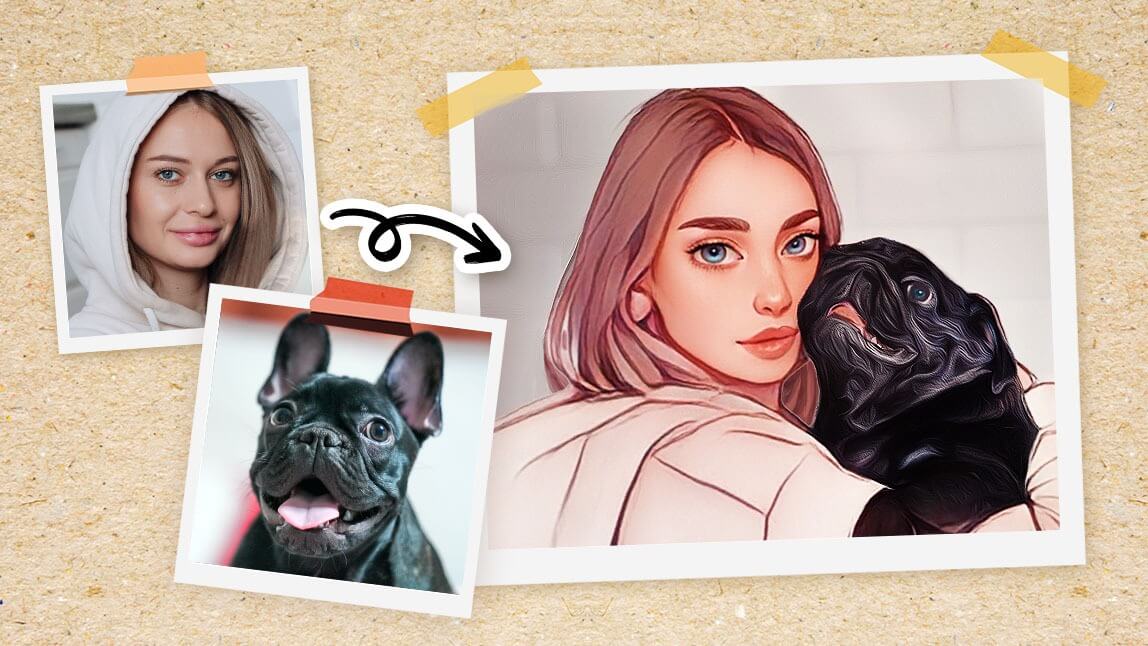
An AI pet photo cartoon sticker maker app turns a picture of your dog or cat into an illustrated, cutout sticker. Adobe Firefly’s sticker generator lets you upload your pet photo as a reference, prompt for a cartoon style with a white border, and download a PNG to share or print.
Your camera roll is probably full of your pet: the cat sprawled in a sunbeam, the dog mid-zoomie, the side-eye you caught at exactly the right moment. A cartoon sticker turns one of those photos into something you can drop into a group chat, stick on a laptop, or hand out at a dog park meetup. AI tools make it easy, even if you’ve never drawn a thing. You upload a clear photo, choose a style, and the AI handles the outline, colors, and cutout. Some tools work best for quick, one-off stickers, while others are better for building a whole pack around your pet’s personality.
How Do You Turn Pet Photos Into Cartoon Stickers With AI?
To turn pet photos into cartoon stickers with AI, start with a sharp, well-lit photo where your pet’s face and body are fully visible. Close-ups with a simple background give the AI the clearest outline to work with.
In Firefly, you upload the photo as a reference image and describe the sticker you want. Adobe suggests prompt terms such as “cartoon style,” “bright pastel colors,” “white sticker border,” and “transparent background.” Firefly accepts JPG, PNG, and WEBP files up to 100 MB, with a minimum size of 512 x 512 pixels.
From there, refine the result. You can use Generative Fill to adjust details, add or remove elements with prompts, and clear away distractions with Generative Remove. If you want a sticker that keeps your pet’s real look, Firefly can also remove the background to isolate your pet as a cutout. When you’re happy, download the PNG for messaging apps, or send it to a print shop for vinyl stickers.
Which AI Pet Sticker Generator Works From a Photo?
Several AI pet sticker generators work from a photo, each with a slightly different approach. The table below compares four options.
| Platform | Best for | Key details |
| Adobe Firefly | Custom cartoon stickers and full sticker packs | Upload a pet photo as a reference or start from a prompt; background removal; Generative Fill and Generative Remove; PNG download; free daily generations; Firefly model output safe for commercial use; web and mobile app |
| Aragon pet sticker generator | A quick illustrated sticker with a caption | Upload a pet photo; choose a background color; add an optional caption; sticker appears in your dashboard within minutes |
| Fotor | Trying different cartoon filters on a pet photo | Cartoon styles including hand-drawn comics, oil painting, and LEGO-style; available on the web and as a mobile app |
| Picsart | Stylized pet avatars you can turn into stickers | AI Avatar Pets uses 10 to 20 photos of your pet; results can be edited into stickers or emoji in the iOS and Android app |
If you want one fast sticker, a single-purpose tool works well. If you want a cohesive pack, choose a tool that lets you keep your pet’s look consistent across many designs. Firefly highlights building sticker collections from a single character or theme, which suits a pack starring your pet.
FAQ
What kind of pet photo works best for a sticker?
Choose a sharp photo taken in good light, with your pet’s whole head or body in frame and nothing blocking its face. A plain background, such as a wall or floor, makes the cutout cleaner. Avoid heavy filters, since they can confuse colors and markings that make your pet recognizable.
Can I print AI pet stickers?
Yes. Firefly lets you download a PNG file, which you can send to a sticker printing service or print on sticker paper at home. Check your printer’s file requirements first, and keep a white border around the design so the cutout looks clean after trimming.
Can I sell stickers of my pet made with AI?
Often, yes, depending on the tool. Adobe says Firefly generative AI models are commercially safe, since they’re trained on licensed content and public domain material. If you use a partner model inside Firefly, you’re responsible for checking whether it fits your project.
Can I make a whole sticker pack of my pet?
Yes. Start with one sticker you love, then reuse the same reference photo and style words in your prompt while changing the pose, expression, or caption. Adobe notes that Firefly can generate multiple variations of a character or theme, which makes it easier to build a cohesive pack for messaging apps, gifts, or merch. Keep the border color and outline thickness the same across every design so the set looks like it belongs together.
For more, visit Pure Magazine