Scheduling software has split into two camps in 2026:
- AI-driven “predictive” platforms chasing automation
- Quietly reliable systems that just… work
The When2Work app falls firmly into the second category.
It won’t impress you with machine learning dashboards.
It won’t forecast labor demand with flashy graphs.
But with the release of Version 3.2.0 (January 2026) — including SSO self-provisioning and improved enterprise authentication — When2Work has quietly positioned itself as a compliance-first scheduling platform for structured teams.
This guide covers:
- How to log into When2Work (2026 method)
- SSO self-provisioning update (v3.2.0)
- Pricing tiers
- System requirements & legacy login fixes
- Compliance strengths vs AI competitors
- Tradeboard workflow
- Feature vs benefit breakdown
- Honest pros & cons
- Enterprise positioning
- Troubleshooting high-intent issues
If you’re evaluating scheduling software — or stuck in a login loop — this is your complete 2026 resource.
TL;DR – When2Work App (2026 Snapshot)
Best for: Compliance-focused, shift-based teams
Starting price: $28/month (up to 10 employees)
Latest version: 3.2.0 (January 2026)
SSO: Supported (Pro plans, self-provisioning enabled)
Payroll: Manual export
When2Work wins on:
- Stability
- Predictable pricing
- Conflict-checking rigidity
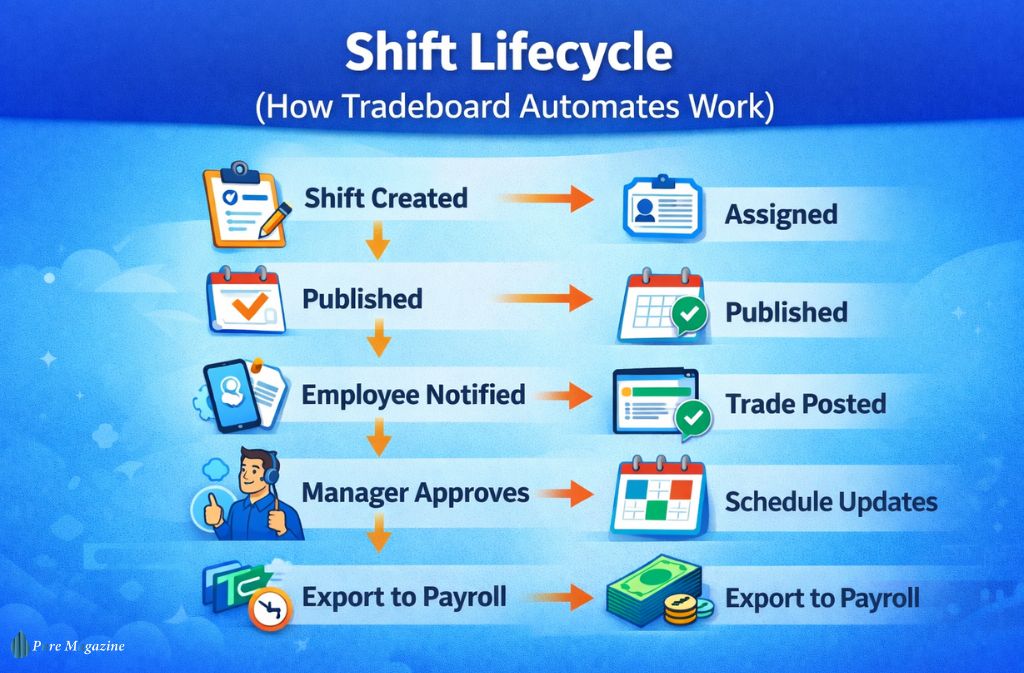
- Shift trade automation
It does not compete on:
- AI forecasting
- Built-in payroll
- All-in-one HCM bundling
How to Log Into the When2Work App (2026 Method)
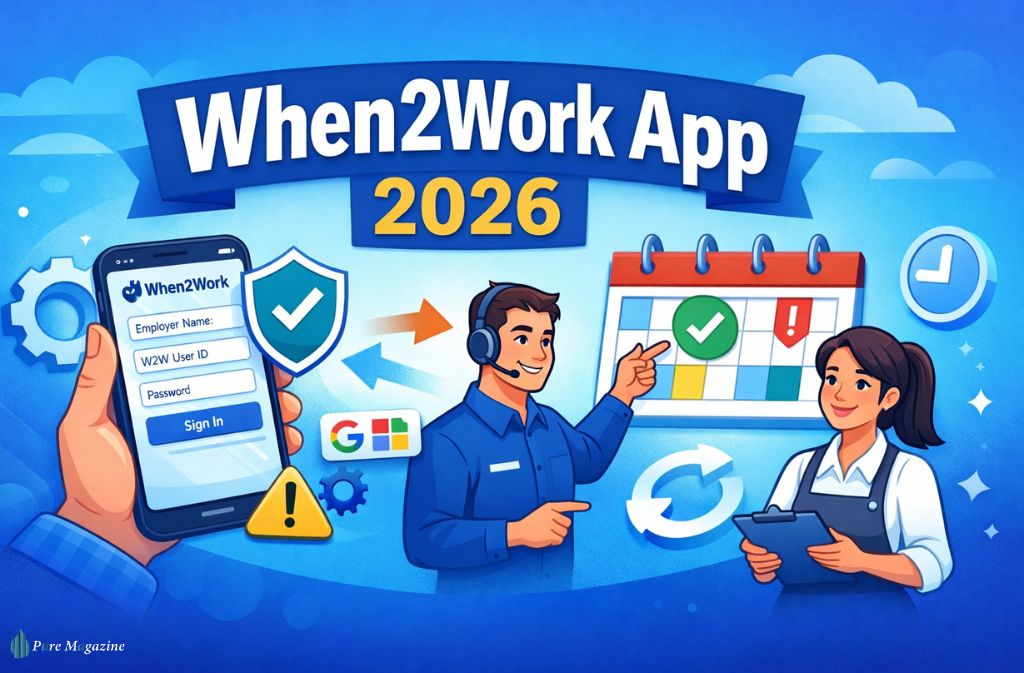
To log into the When2Work app in 2026, you must enter your exact Employer Name, User ID, and Password. If your company uses SSO, you must first provision your account through the web dashboard using Google or Microsoft login.
Now let’s address the most common mistake.
The “W2W Prefix” Problem
If you’re a new hire, your manager likely handed you a username starting with:
W2W
Do not remove that prefix.
The #1 login error in 2026 is employees trying to:
- Use personal email
- Delete the W2W prefix
- Skip the Employer Name field
When2Work is ID-first, not email-first.
You must enter:
- Employer Name (exact spelling)
- User ID (with prefix if assigned)
- Password
Why Does When2Work Require an Employer Name?
When2Work operates on employer-specific databases.
Your Employer Name connects you to:
- The correct scheduling system
- Your organization’s data
- Your assigned permissions
Without it, the system cannot route your login request.
This structure increases security — but confuses new users.
2026 Update: Version 3.2.0 & SSO Self-Provisioning
Released January 2026, Version 3.2.0 introduced:
- SSO self-provisioning (Azure + Google)
- Reduced IT admin mapping
- Improved mobile authentication stability
- Legacy login fallback controls
What Self-Provisioning Means
Previously:
IT had to manually map each employee account.
Now:
Employees can link their organizational identity directly.
Enterprise impact:
- Fewer help desk tickets
- Faster onboarding
- Lower password reset volume
This signals WhenToWork’s shift toward enterprise/HCM alignment.
System Requirements (Avoid Legacy Login Loops)
Many 2026 login issues stem from outdated devices.
Recommended Minimums
- Android 8.0+
- iOS 15+
- App Version 3.2.0+
Users on:
- Android 7 or lower
- Older iOS versions
- Outdated app builds
May experience:
- Login loops
- “Legacy authentication” errors
- Push notification failures
Updating resolves most issues.
When2Work Pricing (2026 Reality)
As of early 2026:
Starting tier: $28/month (up to 10 employees)
Flat-rate tiers increase by team size.
Unlike competitors using per-user pricing (which scales quickly), When2Work’s tier model can be more predictable for growing teams.
Example:
20–30 employees on a per-user model:
$3–$4 per user = $80–$120/month
Flat tier pricing can reduce long-term scaling costs.
This is one of When2Work’s quiet advantages.
Also Read: Nourish Care Login 2026: Portal, App & Empower Access
Feature vs Benefit Breakdown (2026)
| Feature | Benefit for Managers | Benefit for Employees |
|---|---|---|
| Tradeboard | Zero-effort shift swaps | Flexibility without awkward texts |
| AutoFill Algorithm | Faster schedule building | Fair distribution |
| v3.2 SSO | Lower IT support tickets | One less password |
| Conflict Checker | Overtime visibility | Clear availability boundaries |
| Color-Coded Preferences | Instant conflict visibility | “Cannot” vs “Prefer Not” clarity |
The AI vs Predictability Debate (2026)
Competitors like:
- Deputy
- 7shifts
- Humanity
Push AI-driven labor demand forecasting.
But here’s the counterpoint:
AI forecasts are probabilistic.
Compliance is not.
When2Work’s rigid conflict-checking makes it stronger for:
- Minor labor law compliance
- Union rest requirements
- Maximum weekly hour tracking
- Fair Workweek notice windows
It’s not “smart.”
It’s structured.
For hospitals and municipal departments, structured wins.
When2Work vs Deputy (Quick Comparison)
| Category | When2Work | Deputy |
|---|---|---|
| AI Forecasting | Limited | Advanced |
| Compliance Rigidity | Strong | Moderate |
| Pricing Model | Flat tiers | Per user |
| Payroll | Manual export | Built-in |
| UI | Basic | Modern |
Choose When2Work if:
- You value predictability
- Compliance matters
- Budget scaling matters
Choose Deputy if:
- You want automation
- You need payroll integration
- You want modern dashboards
When2Work vs Excel ROI
20-employee team comparison:
| Task | Excel | When2Work |
|---|---|---|
| Weekly Schedule | 3–4 hrs | 1–1.5 hrs |
| Shift Changes | Text chain | Tradeboard |
| Overtime Risk | Manual | Structured |
| Missed Shifts | Frequent | Reduced |
Estimated monthly savings:
8–10 manager hours.
At $30/hour:
$240–$300 saved.
Trouble Signing In? (High-Intent Fix Box)
If login fails:
- Confirm Employer Name exactly
- Keep the W2W prefix
- Update to Version 3.2.0
- Use the website password reset tool
- If SSO is enabled → provision via web first
Most login issues are ID-related — not system outages.
Honest Review (Boots-on-the-Ground)
The interface feels old.
It doesn’t look like a Silicon Valley startup tool.
But here’s what managers quietly admit:
It rarely crashes and doesn’t randomly reassign shifts or ‘experiment’ with your staffing levels. Indie reliability in a VC-bloated world. Sometimes boring is better.
Also Check: Is a Mobile App Development Agency Worth the Investment?
Pros & Cons
Pros
- Stable platform
- Compliance-friendly structure
- Predictable pricing
- Strong shift trading
- SSO support (3.2.0+)
Cons
- Dated UI
- Limited AI forecasting
- No built-in payroll
- Manual exports required
FAQs
Q1. How do I log into When2Work in 2026?
To log into When2Work in 2026, enter your exact Employer Name, User ID (including the “W2W” prefix if assigned), and Password on the login screen.If your company uses Single Sign-On (SSO), you must first provision your account through the When2Work web dashboard by selecting “Sign in with Google” or “Sign in with Microsoft.” After provisioning, you can use SSO normally in the app.
Important: When2Work is an ID-first platform, not email-first. Do not replace your User ID with your personal email unless your manager specifically sets it that way.
Q2. Why am I stuck in a When2Work login loop?
You are likely stuck in a login loop because:
- You are using an outdated app version (older than v3.2.0).
- Your device runs Android below 8.0 or an older iOS version.
- Your account was not properly provisioned for SSO.
- Your Employer Name is entered incorrectly (must match exactly).
Fix:
- Update the app to Version 3.2.0 or later (January 2026 release).
- Clear browser/app cache.
- Re-check Employer Name spelling.
- If using SSO, complete provisioning via the web dashboard first.
Q3. Does When2Work support Single Sign-On (SSO)?
Yes. As of Version 3.2.0 (January 2026), When2Work supports SSO self-provisioning for Pro plans via:
- Microsoft Azure (Entra ID)
- Google Workspace
Employees can now link their own work identity without managers manually mapping each account, reducing IT support tickets and password resets.
Q4. What does When2Work cost in 2026?
When2Work pricing starts at $28 per month for up to 10 employees. Unlike competitors that charge per user, When2Work uses flat-rate tiers based on team size, making it predictable and cost-effective as your workforce grows. This pricing model is often considered its “secret weapon” compared to per-user SaaS competitors.
Q5. Is When2Work better than Deputy in 2026?
It depends on your business needs:
- Choose When2Work if you prioritize compliance stability, flat-rate pricing, and rigid conflict-checking (ideal for minor labor laws and union rest rules).
- Choose Deputy if you want AI-driven labor forecasting, payroll integrations, and automation features.
When2Work is often preferred by compliance-heavy industries, while Deputy leads in AI scheduling automation.
Q6. Why does When2Work require an Employer Name?
When2Work requires an Employer Name because it operates as a multi-tenant scheduling platform. Each company has its own isolated scheduling environment, so the Employer Name ensures you log into the correct organization’s database.If you enter the wrong Employer Name, your login will fail even if your User ID and Password are correct.
Q7. What are the system requirements for When2Work 2026?
To avoid login issues, ensure your device meets these minimum requirements:
- Android: Version 8.0 or higher
- iOS: Updated to the latest supported version
- App Version: 3.2.0 or newer
Older devices may experience “Legacy Login” loops or authentication failures.
Final Verdict
The When2Work app has quietly evolved into a compliance-first, enterprise-aligned scheduling platform.
It doesn’t chase AI hype.
It prioritizes structure, predictability, and stability.
With Version 3.2.0 and SSO self-provisioning, it has taken a meaningful step toward enterprise readiness.
If you need:
- Predictable pricing
- Structured scheduling
- Strong conflict-checking
- Reliable shift trading
When2Work remains a serious contender in 2026.
If you want:
- AI labor forecasting
- Built-in payroll
- Modern UX aesthetics
Look at Deputy or Homebase instead.
Choose stability — or automation.
That’s the real decision.
Related: Is Apple Teleport Real? The Truth Behind the Viral Rumor