High-quality visuals are more important than ever. Whether you are a content creator, social media enthusiast, online seller, photographer, or marketer, clear and attractive images help you stand out. Unfortunately, not every photo comes out perfectly. Blurry pictures, low-resolution images, noise, poor lighting, and old photos can reduce the impact of your content.
That’s where AI-powered editing tools are changing the game. Modern AI tools can instantly improve image quality without requiring professional editing skills. One of the most impressive tools available today is Vidmud video enhancer and AI photo enhancer, a smart platform designed to help users upgrade their photos and videos quickly and securely.
In this guide, you’ll learn why AI photo enhancement matters, how it works, and how to use Vidmud step by step to create stunning images effortlessly.
Why We Need an AI Photo Enhancer
Photos play a major role in communication today. From Instagram posts to eCommerce listings, visuals influence how people perceive brands, products, and personal profiles. However, many images suffer from issues such as:
- Low resolution
- Blurriness
- Pixelation
- Poor lighting
- Noise and grain
- Faded colors
- Old photo damage
Traditional editing software can fix these problems, but professional tools like Photoshop often require advanced editing skills and a lot of time. This is where AI photo enhancers become extremely useful.
An AI photo enhancer uses artificial intelligence to automatically detect flaws in an image and improve them intelligently. Instead of manually editing every detail, users can upload a photo and let AI handle the enhancement process within seconds.
AI enhancement is especially useful for:
- Social media creators
- Bloggers and marketers
- Online store owners
- YouTubers
- Students and designers
- Photographers
- Businesses creating promotional materials
With AI tools becoming more advanced, users can now achieve professional-quality results without expensive software or technical expertise.
What Makes Vidmud Stand Out?
Among many AI editing tools available online, Vidmud video enhancer and AI photo enhancer has gained attention because of its simplicity, privacy-focused approach, and powerful enhancement capabilities.
Vidmud is designed for users who want fast and high-quality results without complicated editing steps. The platform uses advanced AI technology to sharpen images, improve clarity, upscale resolution, and restore visual details automatically.
What truly makes Vidmud unique is its user-friendly experience and privacy protection features.
Key Features of Vidmud AI Photo Enhancer
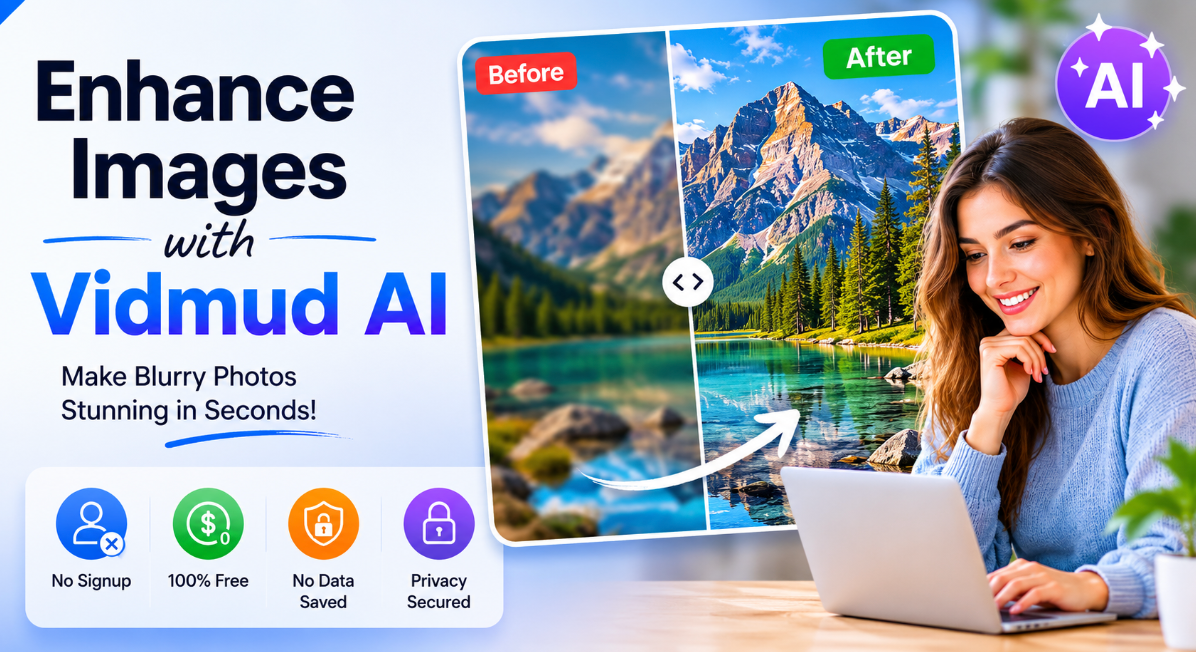
1. No Signup Required
One of the biggest frustrations with online tools is mandatory registration. Vidmud removes that barrier completely. Users can enhance photos instantly without creating an account.
This saves time and provides a smoother user experience.
2. Completely Free to Use
Many AI tools lock premium features behind subscriptions. Vidmud offers powerful enhancement features for free, making it accessible for students, creators, and businesses with limited budgets.
3. No Data Saved
Privacy is becoming increasingly important online. Vidmud emphasizes that uploaded files are not permanently stored on their servers. This gives users confidence when enhancing personal or professional images.
4. Privacy Secured
Security concerns prevent many users from uploading private images online. Vidmud focuses heavily on privacy protection, ensuring users’ photos remain secure throughout the enhancement process.
5. AI-Powered Enhancement
The platform intelligently improves image quality by:
- Sharpening blurry photos
- Enhancing facial details
- Improving color balance
- Reducing image noise
- Increasing resolution
- Restoring old photos
6. Easy-to-Use Interface
Even beginners can use Vidmud without any editing experience. The process is fast, simple, and beginner-friendly.
How AI Photo Enhancement Works
Before using the tool, it’s helpful to understand how AI enhancement technology works.
AI photo enhancer use machine learning algorithms trained on millions of images. These systems learn how high-quality photos should look and apply those improvements automatically to uploaded images.
The AI can:
- Detect blurry areas
- Recover hidden details
- Improve sharpness
- Correct lighting
- Remove imperfections
- Upscale images without losing quality
Instead of simple filters, AI enhancement recreates realistic details intelligently. This is why modern AI tools often produce much better results than traditional editing methods.
How to Use Vidmud AI Photo Enhancer Step by Step
Using Vidmud is incredibly simple. You don’t need technical knowledge or professional editing skills.
Here’s a complete step-by-step guide.
Step 1: Open the Vidmud AI Photo Enhancer
Visit the official Vidmud platform through your browser. Since no signup is required, you can start immediately.
The homepage usually provides direct access to the AI enhancement tool.
Step 2: Upload Your Photo
Click the upload button and select the image you want to improve.
Vidmud supports various image types, making it easy to enhance:
- Portraits
- Selfies
- Landscape photos
- Product images
- Old family pictures
- Social media visuals
Choose a photo that needs quality improvement or restoration.
Step 3: Let the AI Process the Image
Once uploaded, the AI system automatically analyzes your image.
The enhancement process may include:
- Sharpening blurry areas
- Enhancing facial features
- Increasing image resolution
- Reducing grain and noise
- Improving brightness and contrast
The processing usually takes only a few seconds.
Step 4: Preview the Enhanced Result
After processing, Vidmud displays the enhanced version of your image.
You can compare:
- Original image
- AI-enhanced image
This preview helps users clearly see the improvement in quality, sharpness, and clarity.
Step 5: Download the Enhanced Photo
If you’re satisfied with the result, simply download the enhanced image to your device.
Since Vidmud focuses on privacy security, users can confidently download their files without worrying about permanent storage.
Benefits of Using AI Photo Enhancement for Content Creation
AI-enhanced visuals can significantly improve online engagement and content quality.
Here are some major benefits.
Better Social Media Engagement
High-quality visuals attract more attention on platforms like Instagram, Facebook, Pinterest, and LinkedIn.
Clear and professional-looking images often receive:
- More likes
- Higher shares
- Better engagement
- Improved audience trust
Improved eCommerce Sales
Product images strongly influence buying decisions.
AI-enhanced product photos help:
- Increase product appeal
- Build customer trust
- Improve conversion rates
- Create a professional brand image
Restoring Old Memories
Old photographs often fade or lose quality over time.
AI enhancement tools can restore:
- Family portraits
- Historical photos
- Childhood memories
- Vintage pictures
This helps preserve valuable memories digitally.
Faster Workflow for Creators
Manual editing can take hours.
AI tools dramatically reduce editing time, allowing creators to focus more on content production instead of technical image corrections.
Vidmud for Video Enhancement
In addition to image enhancement, Vidmud also offers video enhancement capabilities.
Modern creators frequently use videos for:
- YouTube content
- TikTok videos
- Instagram Reels
- Marketing campaigns
- Online courses
Low-quality videos can negatively affect audience retention. Vidmud’s AI video enhancement technology helps improve:
- Video sharpness
- Resolution quality
- Visual clarity
- Overall viewing experience
This makes videos look more professional without requiring advanced editing software.
Why AI Tools Are the Future of Content Editing
Artificial intelligence is rapidly transforming digital creativity.
In the past, professional-quality editing required:
- Expensive software
- High-end computers
- Advanced technical skills
- Significant editing time
Today, AI tools like Vidmud simplify the entire process.
The future of AI editing includes:
- Faster automation
- Better restoration quality
- Smarter image recognition
- Real-time enhancement
- Improved personalization
As AI technology evolves, content creators will continue benefiting from faster and more accessible creative solutions.
Tips for Getting the Best Results with AI Photo Enhancement
To maximize your results with Vidmud, follow these simple tips:
Use the Highest Quality Original Available
Although AI can improve low-quality photos, starting with a better original image usually produces stronger results.
Avoid Overcompressed Images
Highly compressed images may lose too much detail. Use original files whenever possible.
Test Different Photo Types
AI enhancement works differently depending on the image. Try portraits, landscapes, and product photos to explore the tool’s full potential.
Use Enhanced Images Strategically
Enhanced visuals work especially well for:
- Website banners
- Social media posts
- Advertisements
- Product pages
- Portfolio projects
Final Thoughts
AI-powered editing tools are revolutionizing how people improve photos and videos online. Instead of spending hours manually editing images, users can now achieve professional-quality results in seconds.
Vidmud video enhancer and AI photo enhancer stands out because it combines simplicity, speed, privacy, and powerful AI technology into one easy-to-use platform.
With features like:
- No signup required
- Free access
- No data saved
- Privacy secured
- Intelligent AI enhancement
Vidmud offers an excellent solution for creators, businesses, and everyday users who want better-quality visuals without complicated editing software.
Whether you’re restoring old memories, improving social media content, or creating professional marketing visuals, Vidmud provides a fast and secure way to transform ordinary photos into stunning creations.
For more, visit Pure Magazine