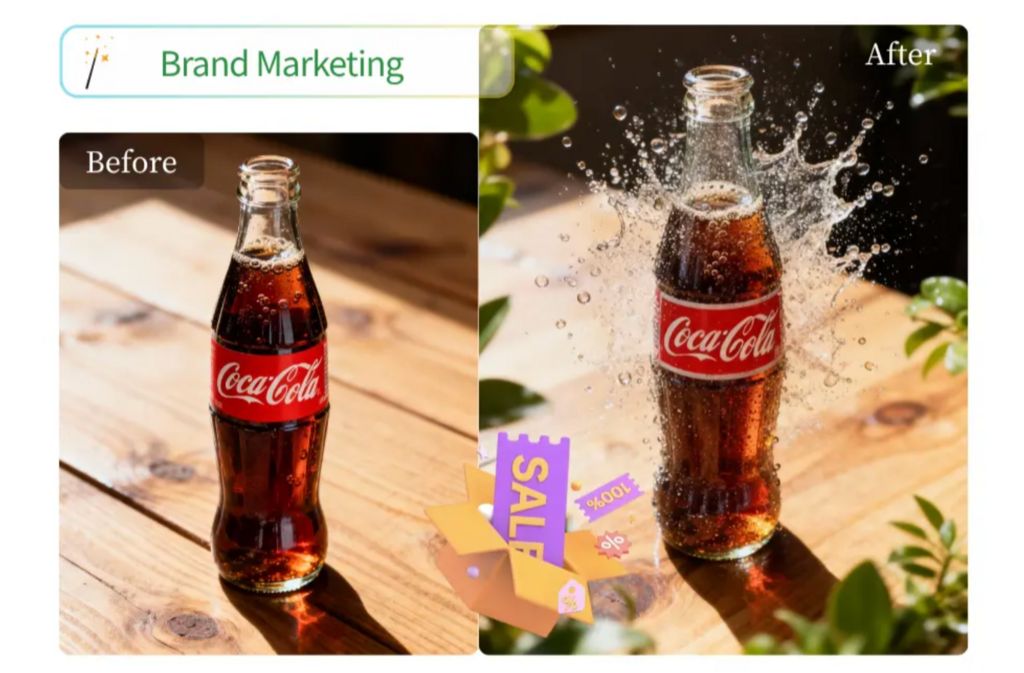
Editing photos used to be a task for professionals only. You needed expensive software and years of training to get decent results. Today, things are different. Artificial intelligence has made it possible for anyone to create stunning visuals with just a few clicks. This technology is moving fast, and new trends are popping up every month. From fixing old family photos to creating entirely new worlds from a text prompt, the possibilities are endless.
AI is not just about making things look better. It is about saving time and opening up new creative paths. You can now focus on the idea behind your photo instead of the technical steps to make it happen. If you want to stay ahead of the curve, you need to know which tools are worth your time and which trends are shaping the future of digital art.
One of the most popular ways to use this technology is through an AI photo editor that automates the boring parts of the job. These tools can identify objects, adjust lighting, and even suggest crops that make your composition look better. You do not have to spend hours masking out hair or adjusting color curves manually anymore. The software does the heavy lifting so you can focus on the fun parts of creation.
Another major shift we are seeing is the rise of generative content. Instead of just editing what is already there, you can now add new elements that look perfectly natural. This is often done through a Free Image to Image Generator which takes your existing photo and transforms it into something new. You can turn a daytime photo into a night scene or change the entire art style of a portrait. It is a powerful way to experiment with different looks without starting from scratch.
Top 1: EZCreate
Overview
EZCreate is a modern platform designed to bring high quality AI tools to a general audience. It lives entirely in your browser, so you do not need to download any heavy files or have a powerful graphics card. The developers have focused on making the tools fast and easy to understand. You can jump in and start creating immediately without watching hours of tutorials. It is built for the modern creator who needs to move fast.
Key Features
The platform offers a variety of functions including background removal, image upscaling, and text to image generation. One of its best features is the ability to understand complex prompts. You can tell it exactly what you want to change, and it will provide several options to choose from. It also handles style transfers very well, allowing you to apply the look of a famous painting to your own photos.
Pros
The interface is very clean and does not have a lot of clutter. It is very fast, even on older computers. The results are often comparable to much more expensive software. It is very easy to navigate for beginners.
Cons
Because it is an online tool, you cannot use it without an internet connection. Some of the most advanced AI models are only available to paid users.
Best For
This tool is perfect for social media influencers and small business owners who need high quality images quickly.
Top 2: Adobe Photoshop
Overview
Adobe Photoshop has been the industry leader for decades, and it is now leading the way in AI integration. With its new Firefly engine, Photoshop has added features that were once thought to be impossible. It combines the power of traditional layer based editing with the speed of generative AI. This makes it a powerhouse for anyone who takes their creative work seriously.
Key Features
The Generative Fill tool is the star of the show here. It allows you to select an area of a photo and type in what you want to see there. The AI then generates an object that matches the lighting, shadows, and perspective of the original image. It also has Generative Expand, which can grow the borders of a photo by imagining what lies outside the frame.
Pros
It offers the most control of any tool on the market. The AI features are built into a professional workflow that experts already use. The quality of the generated content is very high.
Cons
It is quite expensive because it requires a monthly subscription. The software is also very complex and can be overwhelming for someone who just wants to make a quick edit.
Best For
Professional photographers and graphic designers who need total control over every pixel.
Top 3: Canva
Overview
Canva has changed the way people think about design by making it accessible to everyone. Their Magic Studio is a collection of AI tools that help you create professional looking graphics without any design experience. It is a great choice if you need to create social media posts, flyers, or presentations that look great but do not take all day to make.
Key Features
Magic Edit is a standout feature that lets you brush over an object and replace it with something else. For example, you could change a coffee cup into a flower with a simple text prompt. Magic Grab allows you to select a person or object in a photo and move them around as if they were a separate layer. This makes it very easy to fix composition issues.
Pros
It is incredibly easy to use and comes with thousands of templates. You can go from a blank page to a finished design in minutes. It is also very affordable for small teams.
Cons
The photo editing features are not as deep as specialized software. You cannot perform complex retouching or detailed color grading.
Best For
Small business owners, students, and marketing professionals who need to create visual content fast.
Top 4: Luminar Neo
Overview
Luminar Neo is a photo editor built specifically for photographers who want to spend less time at their desks. It uses AI to handle the most tedious parts of photo processing. Instead of manually masking and adjusting, you use sliders that are powered by smart algorithms. It is designed to make your photos look their best with minimal effort.
Key Features
Sky AI is one of its most famous features, as it can replace a dull sky with a dramatic sunset in one click. It even adjusts the lighting on the ground to match the new sky. Portrait AI is also very powerful, offering tools to smooth skin, brighten eyes, and even change the shape of a face in a way that looks natural.
Pros
It is excellent at making landscapes and portraits look professional very quickly. You can buy it with a single payment instead of a subscription.
Cons
The software can be quite heavy on your computer’s hardware. It may run slowly if you do not have a lot of memory or a fast processor.
Best For
Landscape and portrait photographers who want to automate their editing workflow.
Top 5: Pixlr
Overview
Pixlr is a long standing online photo editor that has recently added a lot of AI capabilities. It is a great middle ground between a simple mobile app and a complex desktop program. It runs in your browser, making it easy to access from any device. It offers a familiar interface for those who have used Photoshop before but want something lighter and faster.
Key Features
Pixlr includes an AI generative fill tool and an automatic background remover that works with high precision. It also offers a variety of AI filters that can instantly change the mood of a photo. Their AI Generative Transform tool allows you to warp and change objects in a way that looks realistic.
Pros
It is free to use with some basic features. The interface is intuitive and easy to learn. It does not require any installation.
Cons
The free version is supported by ads which can be a bit distracting. Some of the better AI features are locked behind a premium paywall.
Best For
Casual users and hobbyists who want a free and easy way to edit their photos online.
Comparison Summary
| Tool | Main Benefit | Price Range |
| EZCreate | Fast AI Generation | Free and Paid |
| Adobe Photoshop | Professional Control | Monthly Subscription |
| Canva | Easy Design | Free and Paid |
| Luminar Neo | Photography Focus | Single Purchase |
| Pixlr | Browser Editing | Free and Paid |
Final Recommendation
If you are looking for the most balanced experience, EZCreate is a fantastic choice. It offers a great mix of speed and power without being too difficult to use. If you are a professional who needs every possible tool, Adobe Photoshop is still the king of the hill. For those who are focused on creating social media content, Canva is the best option because of its templates and ease of use.
Summary Takeaway
AI photo editing is no longer a thing of the future. It is here now, and it is making our creative lives much easier. Whether you want to remove a background, generate a new scene, or just make your colors pop, there is a tool on this list for you. The best way to find your favorite is to try a few of them out. You might be surprised at how much you can achieve with the help of artificial intelligence. Focus on your vision and let the software handle the rest.
For more, visit Pure Magazine