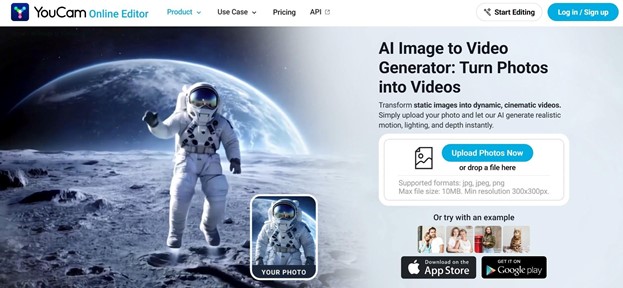
AI-generated videos are becoming one of the biggest trends in content creation, social media marketing, and digital storytelling. From cinematic animations to viral short-form clips, creators are now turning static photos into dynamic videos in just a few clicks. Thanks to recent advancements in generative AI, you no longer need professional editing skills or expensive software to create engaging video content.
Among the growing number of AI video tools available today, YouCam Online Editor stands out as an all-in-one web-based AI creative platform. Its AI Image-to-Video Generator allows users to instantly transform images into realistic motion videos using some of the most advanced AI video models available today. Whether you’re creating social media content, product videos, AI animations, or marketing assets, YouCam Online Editor makes the process fast, accessible, and beginner-friendly.
What’s an AI Image-to-Video Generator?
An AI Image-to-Video Generator is a tool that converts a still image into an animated video using artificial intelligence. Instead of manually editing frames or using complicated animation software, AI automatically predicts movement, transitions, lighting changes, camera motion, and visual effects from a single photo.
These tools can generate:
- Cinematic camera movements
- Character animations
- Lip-sync or facial expressions
- Dynamic backgrounds
- AI-generated motion effects
- Short-form viral videos for TikTok, Instagram Reels, and YouTube Shorts
AI image-to-video technology is widely used by creators, marketers, ecommerce brands, and influencers because it dramatically reduces video production time while still producing highly engaging visual content.
With AI handling the heavy lifting, creators can focus more on creativity and less on technical editing.
Why Choose YouCam Online Editor’s AI Image-to-Video Generator?
1. Fully Web-Based for Any Device
One of the biggest advantages of YouCam Online Editor is that it’s entirely web-based. Unlike traditional video editing software that requires downloads, installations, or high-performance computers, YouCam Online Editor works directly in your browser.
This means users can create AI videos on desktop computers, laptops, tablets, and mobile phones.
Whether you’re using Windows, Mac, Android, or iPhone, you can access the platform anytime without worrying about system compatibility or storage space.
The mobile-friendly experience is especially useful for creators who want to generate AI videos quickly for social media uploads while on the go.
2. Access Multiple Top AI Video Models in One Platform
Instead of limiting users to a single AI engine, YouCam Online Editor supports multiple leading AI video generation models in one place. This gives creators more flexibility to experiment with different visual styles, motion quality, and creative outputs.
Supported AI video models include:
- Wan
- Seedance
- Kling
- Google Veo
- Vidu
- PixVerse
- Hailuo
Different AI models excel at different types of video generation. Some create more cinematic movement, while others specialize in realistic animation, anime-style visuals, or social-media-ready effects.
Having access to multiple AI models inside one platform helps users compare results and choose the best style for their projects without switching between different websites or subscriptions.
3. All-in-One AI Creative Platform
Beyond AI image-to-video generation, YouCam Online Editor also offers a wide collection of AI-powered editing tools for both images and videos.
Instead of juggling multiple editing apps, creators can complete their entire workflow in one platform:
- Generate or upload visuals
- Enhance image quality
- Remove backgrounds or objects
- Extend images for social media formats
- Create AI videos
- Enhance final video quality
This streamlined workflow saves time and improves productivity for creators, marketers, ecommerce sellers, and social media teams.
Conclusion
AI video creation is rapidly changing how people produce digital content. With tools like AI Image-to-Video Generators, anyone can transform static images into engaging animated videos without advanced editing experience.
YouCam Online Editor stands out by combining accessibility, powerful AI video models, and a complete suite of AI editing tools in one web-based platform. Its support for multiple leading AI engines — including Kling, Google Veo, Vidu, PixVerse, Hailuo, Wan, and Seedance — gives creators more flexibility and creative freedom than many standalone tools.
Whether you’re a social media creator, marketer, ecommerce seller, or casual user, YouCam Online Editor offers an easy way to create high-quality AI videos and visuals directly from your browser on any device.
For more, visit Pure Magazine