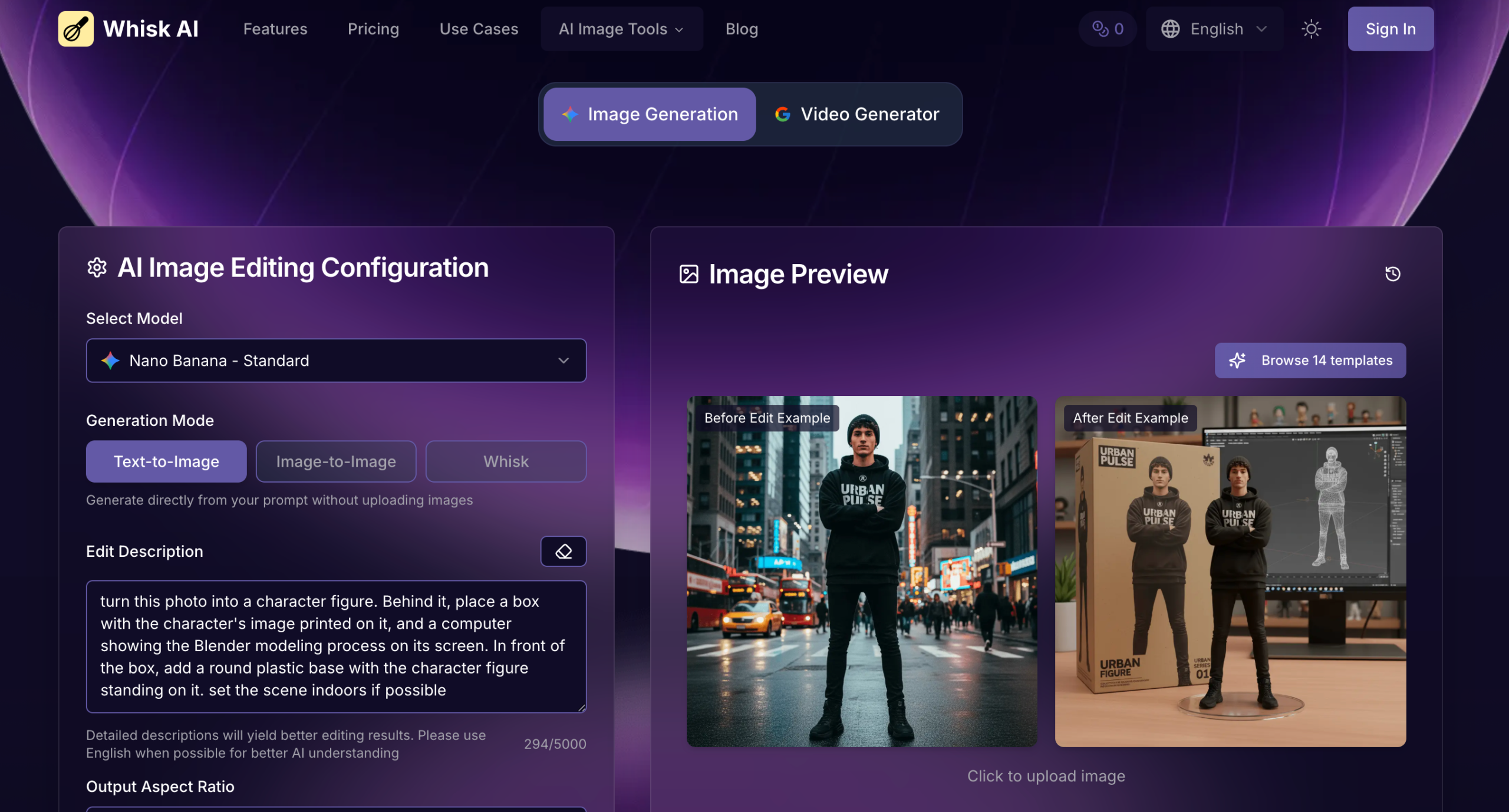
Small brands and independent creators often spend days moving between reference boards, rough sketches, and designer rounds just to see whether a character works as an enamel pin or a plush toy. The slowest part is rarely the final artwork; it is the early concept stage where visual ideas need fast, low-cost exploration before anyone commits to production. Whisk AI approaches this moment differently by letting users upload a subject photo, pick a style from its preset library, and get a first concept image in a single workflow. Rather than describing what the tool could do, I ran a series of tests focused strictly on merchandise prototyping to understand how well the image-remix system handles product-oriented visual tasks.
Evaluating Whisk Against a Real Merchandise Concept Workflow
A useful merchandise mockup tool needs to do more than generate a pretty picture. The subject must remain recognizable, the style must read clearly as the intended product category, and the output should be presentable enough to share with collaborators or customers. I set up testing tasks around the style presets that the official page highlights, specifically the enamel pin and digital plushie styles, and also tested subject consistency when moving a single character across multiple product treatments. Each task was judged on style accuracy, subject identity retention, and output readiness for a pitch deck.
Enamel Pin Preset Captures Silhouette Correctly but Smooths Fine Detail
The enamel pin style is one of the most recognizable options in the Whisk style library, and the official page presents it as a straightforward application. I uploaded a simple illustrated character as the subject and left the scene empty to let the tool focus on the pin format. The generated image correctly adopted the hard metal edge, the bright limited color palette, and the mock metal backings typical of enamel pin product photography.
Hard Edges and Color Separation Worked Well for Bold, Iconic Characters
The system translated the character into a flat, pin-like illustration with clear separation between color regions, a metallic border, and a subtle shadow that suggested a physical product. In my testing, characters with strong silhouettes and fewer internal gradients produced results that felt immediately usable for a product listing or a Kickstarter preview. The style was not a literal physics simulation of an enamel pin but a convincing visual direction that would help a creator decide whether to move forward.
Digital Plushie Style Adds Soft Volume Without Distorting the Core Subject
The plushie preset applies a soft, stuffed-fabric rendering to the uploaded subject, and the results I obtained followed a consistent logic. The subject gained rounded seams, fabric-like surface texture, and a gently padded appearance while keeping its recognizable features. A subject with simple rounded shapes tended to produce a more believable plushie look, while highly angular or complex designs sometimes lost readability in the softer translation.
Subject Identity Stayed Stable Enough for Sequential Product Testing
When I placed the same character into the enamel pin style and then the digital plushie style, the core identity remained recognizable across the two outputs. The tool did not invent new facial features or change the species of an animal character. From a practical user perspective, this consistency matters more than photorealism because the main goal at the concept stage is to evaluate whether a design works in a given product format, not to produce the final factory file.
Subject Retention Across Multiple Style and Scene Combinations
Beyond single-style tests, I checked how Whisk handled the same subject combined with different backgrounds while keeping a consistent style. Using a product photo as the subject, I paired it with a simple studio scene and then a nature background. The subject stayed visually intact in both versions, though the lighting and ambient color shifted to match the scene, which is expected behavior for an image generation system.
Scene Changes Adjusted Atmosphere Without Replacing the Main Object
In one test, a cream-colored product photographed on a white desk retained its shape and material look when placed into a forest scene and a city street scene. The scene influenced the overall mood and shadow direction, but the subject did not morph into a different object. This behavior suggests that the subject-scene separation works reliably enough for merchandise mockups where a creator wants to show the same product in different lifestyle contexts.
How to Use Whisk for Rapid Product Mockups on the Official Page
The merchandise testing workflow follows the same three-step sequence described on the official website, without requiring advanced configuration or prompt writing at the start.
Step 1: Upload the Product or Character as Subject and Pick a Style from the Library
The interface provides dedicated zones for subject, scene, and style. For product mockups, the subject zone receives the character, product photo, or logo, while the style zone pulls from the built-in preset library that includes enamel pin, digital plushie, sticker, and other product-oriented options.
Subject Images With Clean Backgrounds Produced Cleaner Mockup Results
In my testing, a subject photograph taken against a plain white or neutral background gave the system clearer boundaries to work with, resulting in mockups where the product or character separated cleanly from the generated product backdrop.
The Style Library Cuts Down Search Time for Product Aesthetics
The preset library removes the need to find and upload separate style reference images, which speeds up the testing loop when a creator wants to evaluate multiple product types in succession.
Step 2: Let the System Generate the Artwork Without Adjusting Technical Settings
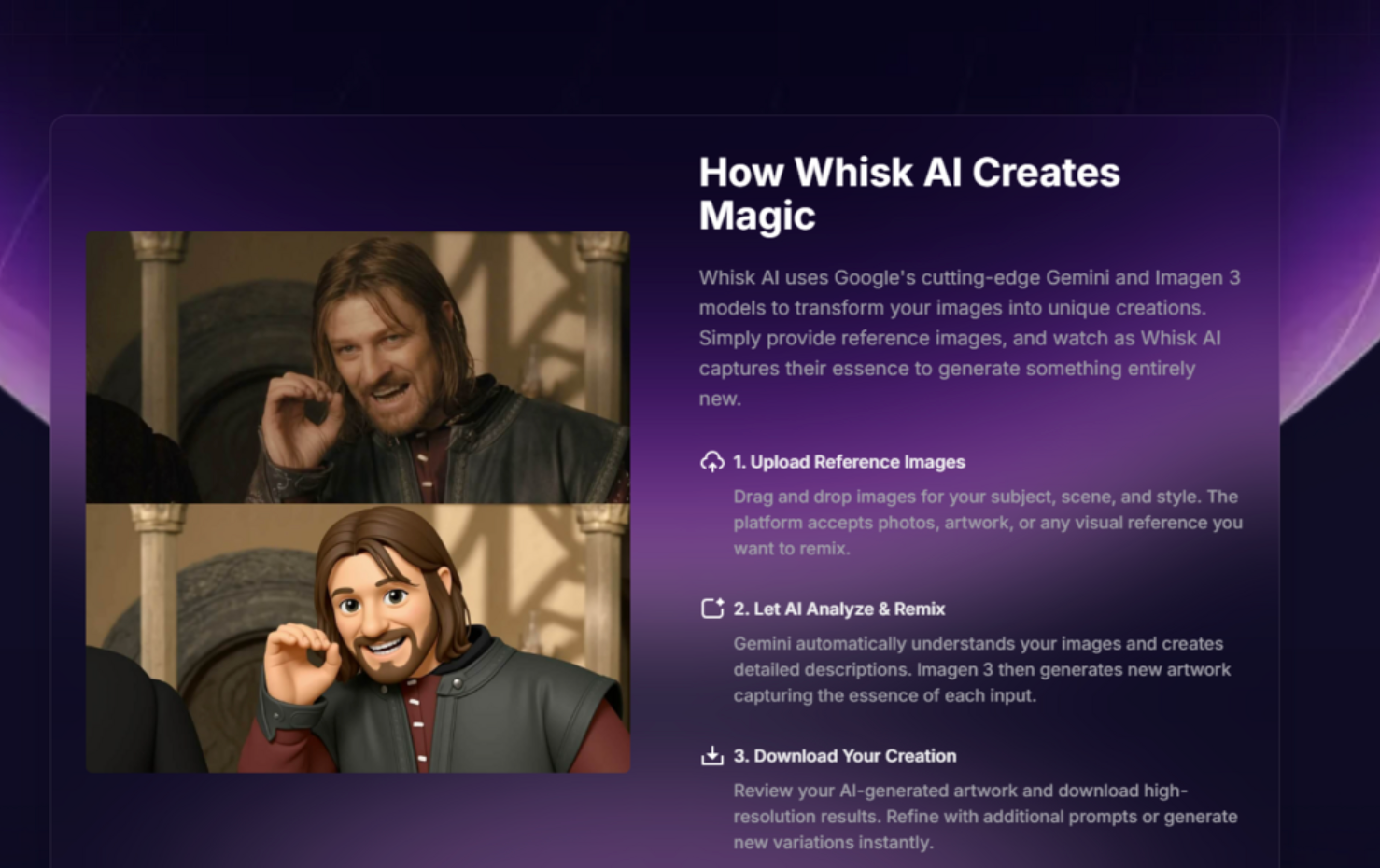
After the images are in place, Gemini automatically generates descriptive captions for each input, and Imagen 3 produces the composite image. The user does not need to set sampling parameters, choose model versions, or configure any technical dials.
The One-Click Generation Keeps the Focus on Visual Judgment Rather Than Settings
From a product testing standpoint, this step matters because the creator stays in a review mindset rather than switching to a technical debugging mode. The result may not be perfect on the first try, but the time cost of testing an idea is low enough that trying multiple combinations feels natural.
Step 3: Refine via Prompt Editing or Download High-Resolution Output for Sharing
The generated mockup can be downloaded directly in a resolution that the page describes as suitable for professional use. If the user wants to adjust a detail, such as the background complexity or the lighting direction, the prompt editor reveals the text descriptions that Gemini wrote, and those descriptions can be modified and regenerated.
Prompt Editing Gives Product Creators a Way to Fix Small Issues Without Changing Inputs
I found this helpful when the plushie mockup placed the subject slightly off-center. Opening the prompt editor, adding a short phrase about centered composition, and regenerating corrected the framing without requiring new uploads. The feature keeps the workflow visual-first but adds precision when needed.
Downloaded Outputs Are Ready for Pitch Decks and Customer Feedback
The images I obtained were sharp enough for full-screen presentation slides and social media previews, which covers the typical use case for a concept mockup. Creators who later need vector files or production-ready separations will still need to hand off the design to a specialized tool, but that step belongs to a later production phase.
Whisk Compared to Traditional Merchandise Concept Processes
The table below highlights the practical differences between using Whisk for early-stage product concept testing and relying on more traditional approaches such as manual illustration or generic AI image generators with text-only input.
| Aspect | Whisk for Merchandise Concepts | Traditional Text-to-Image Generators | Manual Sketch or Designer Round |
| Starting Point | Upload a product photo and pick a style preset | Write a prompt describing the product and style from scratch | Brief a designer with mood boards and reference images |
| Time to First Mockup | Minutes after upload | Minutes, but prompt iteration may take longer to match a style | Hours to days depending on availability |
| Style Accuracy for Product Categories | Preset library offers recognizable pin, plushie, sticker looks | Depends heavily on prompt quality; may require trial and error | High, based on designer skill |
| Subject Identity Consistency | Good across style presets in my tests | Can drift if not carefully prompted | Consistent, since a human draws the subject |
| Learning Curve | Low; image upload replaces prompt writing | Moderate to high; requires prompt engineering | Low for the client, but high cost |
| Best Used For | Rapid concept screening, internal presentations, pre-design direction | Final polished artwork with full creative control | Production-ready files and unique art styles |
Realistic Limitations for Merchandise Concept Work
The tool is experimental, and the outputs reflect that. Several limitations became clear during testing that anyone using Whisk for product mockups should keep in mind.
Style Outputs Are Visual Suggestions, Not Production-Ready Files
The enamel pin mockup looks like a photograph of a pin, but it is not a vector file with separated color layers. A manufacturer cannot use a Whisk image to cut a mold. Users should treat the output as a directional visual that communicates the idea, not as the final artwork. This is an inherent limitation of generating raster images for physical product design.
Fine Textures and Small Text Do Not Always Survive the Style Translation
When I tested a subject that included a small logo and tiny text elements, the generated plushie and pin versions sometimes blurred or simplified these details beyond legibility. Clear, bold subjects with minimal fine text will produce more reliable concept mockups than detailed infographics or typography-heavy designs.
Results May Vary With Complex Scenes or Uncommon Style Combinations
The tool performed most predictably when I used one style preset at a time and chose a scene that matched the product context. Unusual combinations, such as placing a plushie in a dramatic cinematic scene, occasionally produced output where the style and scene clashed in unexpected ways. Expect to generate a few variations and pick the best one rather than landing on a perfect result with a single attempt.
Whisk Serves the Exploration Stage Well, Leaving Production to Other Tools
After testing the tool across multiple merchandise concept tasks, the clearer takeaway is not that Whisk replaces a designer or a production pipeline. Its actual value sits at the fuzzy front end, where a creator needs to answer questions like “does this character work as a pin” or “should I pursue the plushie direction or the sticker direction” before spending real money or time. For that specific use case, the drag-and-drop image workflow and preset style library on Whisk AI turned hours of back-and-forth into minutes of visual comparison, which is a meaningful improvement in the concept testing rhythm.
For more, visit Pure Magazine