Your McDonald’s schedule sets when you work, who you work with, and which tasks you handle during each shift. That’s why many employees use Reflexis McDonalds—the system that manages schedules and daily store operations.
For both new and existing crew members, understanding how Reflexis works can significantly improve day-to-day operations. For example, from checking shifts to viewing assigned tasks and updates, Reflexis plays a central role in how many McDonald’s restaurants operate. Additionally, it helps employees stay organized and informed throughout each shift.
This guide explains what Reflexis McDonald’s is, how employees use it, how to access schedules, and what to do if something isn’t showing correctly, based on how the system functions as of 2025.
What Is Reflexis McDonalds?
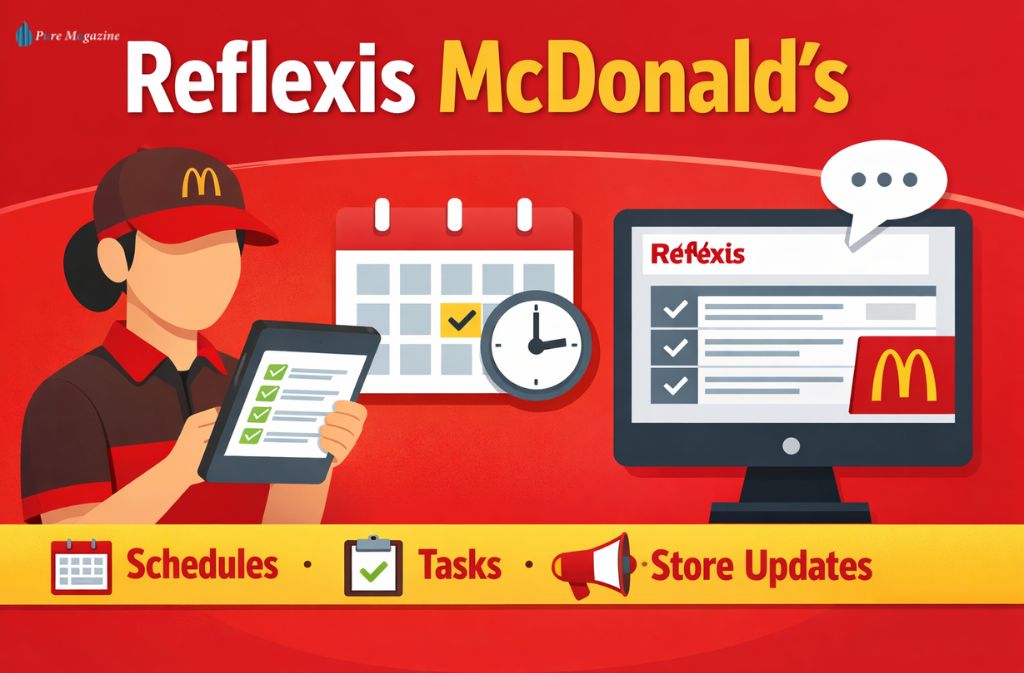
Reflexis McDonald’s is a workforce management platform that McDonald’s restaurants use to schedule employees, manage daily tasks, and share store-level updates.
Managers use the system to plan staffing efficiently, while employees use it to view their schedules and understand shift responsibilities in one centralized place. Only active McDonald’s employees and managers are granted access.
Reflexis is not a public application and requires official McDonald’s credentials to use.
How McDonalds Employees Use Reflexis
Reflexis is designed for everyday operational use. Employees typically rely on it for three main functions.
Viewing Work Schedules
Once schedules are published, employees can:
- Check upcoming shifts
- Confirm start and end times
- See assigned days off
This helps reduce confusion and last-minute changes.
Managing Daily Tasks
Many restaurants use Reflexis to assign:
- Opening and closing duties
- Food safety checks
- Cleaning and maintenance tasks
Tasks are time-stamped and tracked to support consistency across shifts.
Receiving Store Updates
Important updates such as policy reminders, operational changes, or announcements may appear inside Reflexis, allowing staff to stay informed in one place.
How to Log In to Reflexis McDonalds
Access to Reflexis McDonalds is granted during employee onboarding.
What You Need
- Active McDonald’s employee status
- Company-issued login credentials
- Correct regional access link
In many locations, login happens through a secure McDonald’s single sign-on system. The exact portal depends on your country and franchise group.
If login details haven’t been provided yet, a store manager or the people services team can help.
Is Reflexis an App or a Website?
Reflexis McDonald’s is primarily a web-based system accessed through a secure browser. In certain regions, employees can use it on mobile devices, but it is not a public app and cannot be downloaded from app stores.
Availability and access method depend on the franchise and country.
Reflexis vs MyStuff vs MySchedule
McDonald’s uses multiple systems, each with a specific role.
| System | What It’s Used For |
|---|---|
| Reflexis | Scheduling, tasks, store communications |
| MyStuff McDonald’s | HR records, payslips, personal details |
| MySchedule | Shift viewing in some regions |
Knowing which system to use helps employees find information faster.
Common Access and Schedule Issues
Schedule Not Showing
Schedules may not appear if they haven’t been published yet or if your profile isn’t fully linked to your store.
Login Not Working
Login issues are often related to account activation or onboarding status and usually require manager or HR assistance.
Incorrect Store or Role
Employees working at multiple locations may need their store assignments updated.
Can You Access Reflexis Outside the Restaurant?
In many regions, Reflexis can be accessed from home using a secure web browser. External access depends on franchise policies and regional setup.
Some locations also support mobile access through a browser-based interface.
Security and Employee Privacy
As of 2025, Reflexis follows enterprise security standards used by large organizations.
- Uses role-based access controls common in enterprise workforce platforms
- Only active employees can access the system
- The system does not store any personal banking information
- Separate HR systems manage payroll and payslips.
- The company automatically removes access when employment ends
Employees should always use official McDonald’s login pages.
What to Expect as a New Employee
Most new employees receive access in stages:
- Employee ID and HR system access
- Schedule visibility once added to the roster
- Full Reflexis access after setup is complete
The timing may vary by location, but it follows this general pattern.
FAQs
Q. What is Reflexis McDonald’s used for?
Reflexis McDonald’s is an internal workforce management system used to organize employee schedules, assign daily tasks, and share store communications. It helps McDonald’s employees check shifts, complete assigned duties, and stay updated on operational information in one centralized platform.
Q. How do I log in to Reflexis McDonald’s?
You log in to Reflexis McDonald’s using the employee credentials provided during McDonald’s onboarding. Access is available through an official Reflexis or McDonald’s company login portal, depending on your country and franchise. You cannot create an account without being an active employee.
Q. Is Reflexis the same as MyStuff McDonald’s?
No, Reflexis and MyStuff McDonald’s serve different purposes. McDonald’s uses Reflexis to manage employee schedules, daily tasks, and store-level updates. MyStuff McDonald’s, on the other hand, handles HR services such as payslips, personal information, and employment records.
Q. Can I see my McDonald’s schedule on Reflexis?
Yes. After your manager publishes the schedule, Reflexis displays your assigned shifts. Then, employees can view upcoming workdays, shift times, and any schedule changes directly through the system, depending on regional access settings.
Q. Why can’t I access Reflexis McDonald’s yet?
Reflexis McDonald’s may delay access if your onboarding is still in progress or your employee profile is not fully activated. In most cases, a store manager or HR team completes the setup.
Q. Does every McDonald’s use Reflexis?
Many McDonald’s restaurants use Reflexis, but workforce systems can vary by country and franchise group. Some locations may use alternative scheduling or task management platforms depending on regional operations.
Q.Can former employees log in to Reflexis McDonald’s?
No. McDonald’s automatically removes Reflexis access when employment ends. Once their employee status is deactivated, former employees cannot log in.
Conclusion
Reflexis McDonalds helps employees stay organized by centralizing schedules, tasks, and store updates in one system. Once access is set up, it becomes a reliable part of daily work routines.
If something doesn’t appear right away, it’s usually related to account setup rather than the system itself. With proper access, Reflexis supports smoother shifts and clearer communication.
Related: Central Reach Login (2025): Official Member, Client & Employee Access