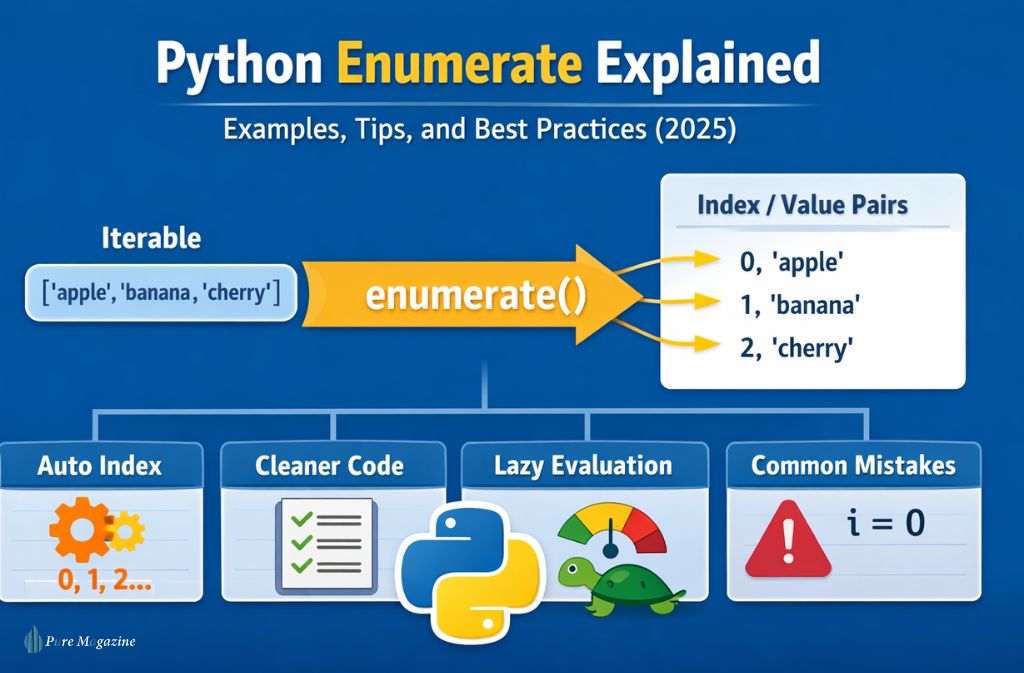
If you’ve ever written a Python for loop and thought, “I need both the index and the value”, you’ve already met the problem that enumerate() was designed to solve.
The A enumerate function in Python is one of those built-ins that looks simple on the surface, yet quietly improves code readability, performance, and correctness. Beginners often overlook it. Intermediate developers underuse it. And many experienced programmers still misuse it in subtle ways.
This guide explains what enumerate() does in Python, how it works internally, when to use it (and when not to), and why it’s considered best practice in modern Python code. You’ll see real examples, common mistakes, performance insights, and 2025-relevant patterns you won’t find in surface-level tutorials.
If you want to write cleaner loops, avoid manual counters, and understand Pythonic iteration properly, this article is for you.
What does
enumerate()do in Python?enumerate()is a built-in Python function that adds an index to an iterable and returns an iterator of(index, value)pairs, allowing you to loop with both position and data cleanly and efficiently.
What Is enumerate() in Python?
At its core, enumerate() is a built-in Python function that adds a counter to an iterable and returns it as an iterator of (index, value) pairs.
Basic definition
-
iterable: Any object that supports iteration (list, tuple, string, set, etc.) -
start(optional): The starting index (default is0) -
Returns: An enumerate object, which is an iterator
Simple example
Output:
Instead of manually managing a counter, enumerate() does the bookkeeping for you.
Why enumerate() Exists (The Problem It Solves)
Before enumerate(), Python developers often wrote loops like this:
This approach works, but it introduces problems:
-
Easy to forget incrementing
i -
Counter logic clutters the loop
-
More error-prone in longer blocks
-
Less readable for others
enumerate() solves this by binding the index directly to the iteration, keeping logic clean and intention obvious.
How enumerate() Works Internally
This matters more than most tutorials admit.
enumerate()does not create a list- It returns an iterator
- Values are generated lazily, one at a time
That means:
Nothing is computed yet. The pairs are created only when the loop requests them.
Why this matters
- Memory efficient
- Safe for large datasets
- Works well with generators and streams
This lazy behavior is one reason enumerate() is preferred in production code.
Using enumerate() with Different Iterables
Lists (most common)
names = ["Ava", "Liam", "Noah"]
for i, name in enumerate(names):

    print(f"{i}: {name}")
Strings
word = "Python"
for index, char in enumerate(word):

    print(index, char)
Tuples
coords = (10, 20, 30)
for i, value in enumerate(coords):

    print(i, value)
Sets (important caveat)
items = {"a", "b", "c"}
for i, item in enumerate(items):

    print(i, item)
⚠️ Order is not guaranteed because sets are unordered. Avoid relying on index meaning when enumerating sets.
Starting the Index at 1 (Very Common Use Case)
By default, enumerate() starts at 0. But many real-world scenarios (reports, rankings, user-facing lists) start at 1.
Output:
This is cleaner and safer than adjusting i + 1 inside the loop.
enumerate() vs range(len())
This comparison comes up constantly.
Old pattern
for i in range(len(fruits)):

    print(i, fruits[i])
Pythonic pattern
for i, fruit in enumerate(fruits):

    print(i, fruit)
Why enumerate() is better
| Factor | enumerate() | range(len()) |
|---|---|---|
| Readability | High | Lower |
| Error-prone | No | Yes |
| Pythonic | Yes | Discouraged |
| Handles generators | Yes | No |
| Clean intent | Clear | Indirect |
PEP-8 and modern Python style guides favor enumerate() Whenever you need both index and value.
Real-World Use Cases for enumerate()
1. Debugging data pipelines
2. Building user-facing lists
3. Comparing elements during iteration
4. Logging and monitoring loops
enumerate() makes logs easier to interpret because you get contextual position without extra code.
Common Mistakes with enumerate()
❌ Unpacking incorrectly
This prints tuples like (0, 'apple'). That may be intentional — but often it’s not.
✅ Correct unpacking:
❌ Converting enumerate to list unnecessarily
This defeats lazy evaluation unless you actually need the full list.
❌ Using enumerate when the index isn’t needed
If you never use the index, skip enumerate() entirely. Extra abstraction adds noise.
Is enumerate() Faster Than a Normal for Loop?
Short answer: Usually yes, but that’s not the main reason to use it.
enumerate()avoids Python-level counter updates- It’s implemented in C
- Performance differences are small but real
In 2025, clarity beats micro-optimizations, and enumerate() improves both.
enumerate() with Dictionaries (Advanced Pattern)
By default, iterating over a dictionary yields keys:
If you want values or items:
This pattern is common in data processing and config parsing.
Cheat Sheet: When to Use enumerate()
Use enumerate() When you:
- Need index + value
- Want cleaner loops
- Are you iterating over large datasets
- Want Pythonic, readable code
Avoid it when:
- Index is unused
- Order doesn’t matter (sets)
- You only need values
2025 Best Practices & Trends
- Code readability is now a ranking signal in many technical hiring screens
- Python linters increasingly flag
range(len())as a smell - AI-assisted code review tools prefer
enumerate()patterns - Modern tutorials and official docs consistently recommend it
As of 2025, using enumerate() isn’t just preference — it’s expected fluency.
FAQs
Q. What is enumerate() in Python?
enumerate() is a built-in function that returns an iterator producing index-value pairs from an iterable, starting at zero by default.
Q. How do you use enumerate() with a list?
You pass the list into enumerate() and unpack the index and value in a loop: for i, item in enumerate(my_list).
Q. Is Python enumerate() lazy?
Yes. It returns an iterator and generates values only when requested, making it memory efficient.
Q. Can enumerate() start at 1?
Yes. Use the start parameter: enumerate(iterable, start=1).
Q.Is enumerate() faster than range(len())?
In most cases, yes — but the bigger benefit is cleaner, safer, more readable code.
Conclusion
enumerate() is one of those Python features that quietly separates average code from professional-grade code. It reduces bugs, improves clarity, and aligns with modern Python standards — all without adding complexity.
If you find yourself manually tracking counters, adjusting indexes, or explaining loops to teammates, switching to python enumerate is an easy win. Start using it intentionally, and your loops will instantly feel cleaner and more confident.
Related: 418dsg7 Python Explained: Real Frameworks & Use Cases in 2025