


Working with artificial intelligence is a lot like having a conversation. If you give vague, one-word answers, you get a confusing response. But if you’re clear, descriptive, and know what you want, the conversation flows beautifully. For designers, this is the new reality. AI tools are becoming your most powerful creative partners, but they only work as well as you can communicate with them. The quality of your visual results is directly tied to the quality of your prompts.
This means designers need to start thinking less like button-pushers and more like creative directors. Your job is to guide the AI, to give it the context, vocabulary, and vision it needs to bring your ideas to life. It’s a new skill, but it’s one you’re already prepared for. You just need to learn how to translate your design knowledge into a language the AI understands. Let’s dive into the core principles that will help you do just that.
TL;DR: To create the best results with AI, focus on crafting high-quality prompts. Think like a creative director, providing the AI with clear context and vision. Leverage your design expertise by translating it into instructions the AI can effectively understand.
The Foundation: Nailing Color Palette Selection
Before you can think about layouts or styles, you need to decide on your colors. Color sets the mood, shows off your brand’s personality, and guides the visual direction of your project.
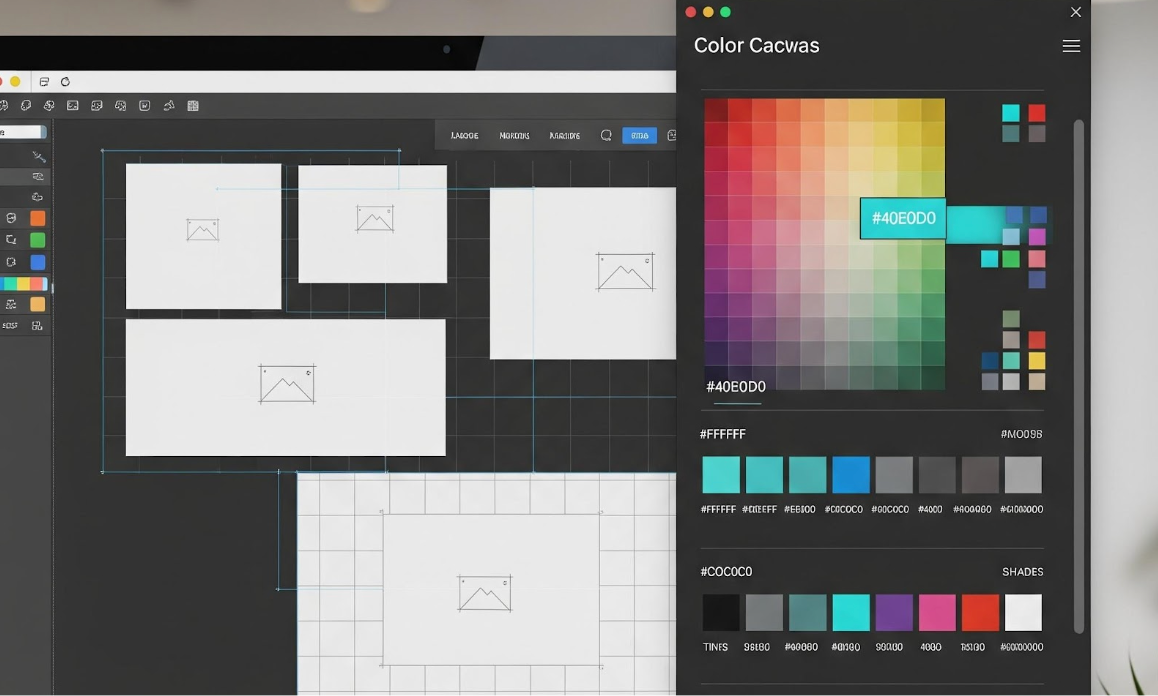
If you’re not sure how to describe what you want, a color palette generator is a great place to start. These tools give you the hex codes and vocabulary to write a precise and powerful prompt. A vague prompt like “use nice colors” will lead to a generic result. To get what you want, you need to be specific.
There are several ways to guide the AI’s color choices:
- Use Hex Codes or Names: If you have an established brand guide, give the AI the exact colors. A prompt like, “Create a hero image using #0A192F for the background and #64FFDA for accents” leaves no room for error.
- Describe a Mood: Sometimes you don’t have exact colors, but you know the feeling you want to evoke. Try prompting with descriptions like, “Generate a design with a calm and trustworthy color palette, using soft blues and muted grays,” or “Use an energetic and youthful color scheme with vibrant pinks and oranges.”
- Reference Nature or Objects: You can also use real-world examples. “Create a website design with a color palette inspired by a sunset over the ocean” gives the AI a rich visual to pull from.
Getting the color right upfront is critical because it influences everything that comes after. An effective prompt sets a strong foundation, while an ineffective one leads to a design that feels disconnected.
| Best Color Palette Generators | Description |
| Wixel | Offers AI-powered color palette generation and customization, inspired by trends and user preferences. |
| Coolors | A popular tool for generating, exploring, and exporting smooth, professional color palettes. |
| Adobe Color | Provides advanced tools and features for creating palettes, including themes from photos and harmonies. |
| Colormind | Leverages AI to generate palettes, especially suited for UI/UX and web design projects. |
| Canva Colors | Simplifies palette creation with an easy-to-use generator perfect for branding and design. |
Composition and Layout: Commanding the Space
A great design isn’t just a collection of elements; it’s a carefully arranged composition. To guide the AI effectively, you need to use the language of layout and hierarchy. Describe where you want things to go and how you want the user’s eye to move across the page.
Instead of saying “make a layout for my product,” try being more specific:
- Reference Grid Systems: “Create a two-column layout based on a 12-column grid. Place the main image in the right column, spanning 8 columns, and the text in the left column, spanning 4.”
- Describe Whitespace: “Design a minimalist landing page with generous whitespace around the headline and call-to-action button to create a sense of focus.”
- Establish a Focal Point: “Make the product photo the primary focal point, with a headline above it and a ‘Buy Now’ button directly below.”
Using clear design terminology helps the AI understand spatial relationships. You are the architect, telling the AI where to place the walls, windows, and doors. The more precise your blueprint, the better the final structure will be.
Finding Your Vibe: Style and Aesthetic Direction
Every design has a personality. Is it sleek and modern? Or is it ornate and vintage? Communicating this aesthetic direction is key to getting a result that feels right.
Lean on your design history knowledge to guide the AI:
- Name the Movement: “Generate a poster in the style of Swiss minimalism, with a focus on clean typography and a strong grid.”
- Use Adjectives: “Create an app interface with a brutalist aesthetic, using raw textures, bold typography, and a monochromatic color scheme.”
- Make Comparisons: “Design a logo that feels organic and hand-drawn, similar to the branding for a local farmers’ market.”
The trick is to balance specific references with creative freedom. Giving the AI a style to work with provides guardrails, but you still want it to surprise you with its interpretation. Think of it as giving a musician a genre to play in; they know the rules of jazz, but they can still improvise a beautiful solo.
Typography and Text: Making Words Matter
Typography is more than just choosing a font. It’s about giving your words a voice and organizing information clearly. When prompting for text, think about its personality and its job.
Guide the AI with specific typographic instructions:
- Describe Font Personalities: “Use a geometric sans-serif font for the headlines to feel modern and tech-focused, and a classic serif font for the body copy to feel trustworthy and established.”
- Specify Hierarchy: “Make the H1 headline 64px and bold. The H2 subheadings should be 32px and medium weight. Body text should be 16px and regular weight.”
- Consider Readability: “Ensure the body text has a line height of 1.5 for optimal readability on screens.”
By being specific about font pairings, sizes, and weights, you ensure that the text not only looks good but also serves its primary function: to communicate clearly.
The Nitty Gritty: Technical Specifications
Your design needs to live in the real world, which means it needs to meet certain technical requirements. Don’t forget to include these practical details in your prompts.
Be clear about the final output:
- Format and Dimensions: “Generate a hero image for a website at 1920×1080 pixels.”
- Resolution: “Export the final logo at 300 DPI for print.”
- File Type: “Save the icon set as SVG files with transparent backgrounds.”
Including these technical specs from the start saves you a ton of time later. The AI can deliver a file that is ready to use, without you having to re-export or resize it manually.
The Art of Refinement: Improving with Iteration
Your first prompt rarely produces the final result. The real magic happens in the follow-up. AI is a conversational partner, so you can ask it to refine, adjust, and tweak its own work.
Learn to build on the AI’s output:
- Be Specific with Changes: Instead of “I don’t like it,” try “Make the blue in the background 20% lighter” or “Change the headline font to something more playful.”
- Learn from What Works: Pay attention to the prompts that give you great results. Did using a mood-based description work better than naming a specific color? Add that to your personal prompting vocabulary.
- Don’t Be Afraid to Start Over: Sometimes the initial direction is just wrong. It’s okay to scrap it and start fresh with a new, more informed prompt.
This iterative process is where your skills as a designer truly shine. You are the curator, the editor, and the creative director, guiding the tool toward a result that meets your high standards.
Your New Creative Partnership
Working with AI is a skill, and like any skill, it gets better with practice. The designers who thrive in this new era will be the ones who learn to communicate their vision with clarity and precision. They will see AI not as a competitor, but as a collaborator that can handle the heavy lifting, spark new ideas, and help them create better work, faster.
Start building your prompting vocabulary today. Be specific, be descriptive, and be open to the conversation. You have the vision. AI has the power. Together, you can create something amazing.