Testing AI Image Generators on Mobile Devices Only
UMost AI image platforms show off their capabilities on a 27-inch monitor with a fiber connection. But I do a surprising amount of my creative work on my phone—tweaking social graphics on the subway, dropping a quick hero image into a newsletter draft while waiting for coffee, sending comps to clients from a park bench. So I decided to run a week-long test where I could only use my phone’s browser to generate, review, and download images from six AI tools. No desktop fallback, no tablet cheating. The goal was to find out which platforms actually function as mobile creative tools, not just desktop powerhouses with a grudging responsive layout.
The first surprise came within an hour. Several tools that I consider polished on desktop became almost unusable on a phone screen. Modal dialogs overflowed, generation buttons hid behind cookie banners, and one platform’s image gallery required horizontal scrolling that felt like a physical workout. Amid that mess, AI Image Maker opened quietly in my mobile Chrome tab and immediately felt like it belonged there. The layout stacked vertically without breaking, the prompt field stayed accessible above the keyboard, and the download button was exactly where my thumb expected it to be.
I tested six platforms: ToImage AI, Midjourney (via Discord mobile), Adobe Firefly (mobile web), Canva AI (inside the Canva mobile app), Leonardo AI, and Freepik AI. used the same 15 prompts across all platforms, ranging from “vibrant smoothie bowl on a bright kitchen counter, overhead shot, natural morning light” to “professional linkedin banner with abstract tech shapes and generous negative space.” I tracked load times, interface glitches, download friction, and whether I could complete a generation cycle one-handed.
Midjourney via Discord mobile was the most polarizing experience. The image quality remains strong, but typing prompts into a chat interface designed for messaging, not art direction, felt clumsy. I kept sending partial prompts by accident, and scrolling back through a busy channel to find my image consumed precious minutes. Adobe Firefly’s mobile web experience was serviceable but slow to load, and the interface required me to pinch-zoom frequently to access controls. Canva AI, embedded in the Canva app, benefited from Canva’s mobile polish, but the AI generation was limited to Canva’s design templates, which added steps when all I wanted was a standalone image file.
Leonardo AI’s mobile web version offered a decent generation flow but served a full-screen promotional banner that I had to dismiss every other session. Freepik AI loaded relatively quickly but cluttered the small screen with stock image suggestions that felt more distracting than helpful on a 6-inch display. ToImage AI, by contrast, kept the interface sparse and functional. The generation queue didn’t require horizontal scrolling, and the image results loaded at a size that made evaluation possible without zooming. That sounds like faint praise, but in the context of mobile AI tools, it’s genuinely rare.
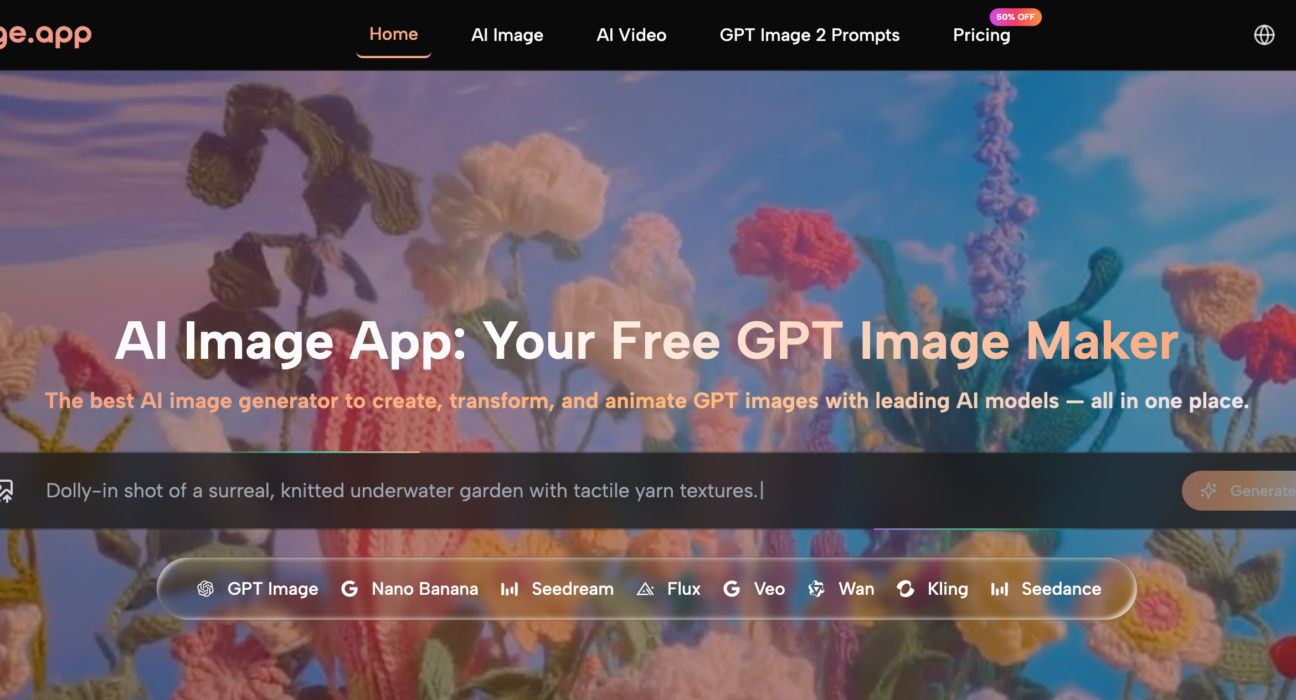
By day three of the test, I noticed a pattern: I was defaulting to ToImage AI for any prompt I needed to turn around quickly, especially when I wanted to select a model that matched the task. The platform offers multiple AI models, and I gravitated toward GPT Image 2 for structured results that I knew would hold up when viewed on other screens. The mobile model selector was a simple dropdown that didn’t trigger any layout shifts—a small detail that prevented the kind of accidental mis-taps that plagued my experience elsewhere.
The Parameters of a Mobile-Only Creative Workflow
I structured the week to mirror a realistic content schedule. Each morning, I generated a blog post hero image. Midday, I created two social graphics. Evenings, I experimented with more abstract prompts for personal projects. I logged every generation’s success, the time from prompt to usable download, and any moment I felt the urge to switch to a desktop. I also tracked battery drain and data usage impressions, though those remained rough estimates.
| Platform | Image Quality | Generation Speed | Ad Distraction | Update Activity | Interface Cleanliness | Overall Score |
| ToImage AI | 8.2 | 8.7 | 10 | 8.4 | 9.5 | 8.9 |
| Canva AI | 7.5 | 8.8 | 6.5 | 8.2 | 8.0 | 7.7 |
| Adobe Firefly | 8.5 | 7.9 | 9.0 | 9.1 | 7.8 | 8.3 |
| Midjourney | 9.1 | 7.2 | 10 | 9.2 | 4.5 | 7.7 |
| Leonardo AI | 8.0 | 8.3 | 7.0 | 8.6 | 7.5 | 7.8 |
| Freepik AI | 7.8 | 8.0 | 5.5 | 7.4 | 6.5 | 7.0 |
Image quality scores on mobile mirrored desktop trends fairly closely, but interface cleanliness took on outsized importance. A cluttered mobile UI doesn’t just annoy; it makes it physically harder to complete tasks. Midjourney’s 4.5 in interface cleanliness reflects the Discord mobile experience, which requires navigating server channels, typing prompts with the “/imagine” command, and dealing with auto-scrolling chat. It’s functional but far from a dedicated creative interface.
What Mobile Testing Revealed That Desktop Tests Miss
On a desktop, I tolerate small annoyances because I have screen real estate and a mouse. On a phone, those same annoyances become blockers. A pop-up that covers half the screen on mobile doesn’t just look bad; it prevents me from seeing if my generation finished. ToImage AI’s complete absence of ads and upsells during testing meant I never had to fight the interface for visibility.
The Thumb-Reachable Download Button Matters More Than You Think
I didn’t expect to fixate on download flow, but after a week of mobile-only use, I became acutely aware of where buttons sat. Canva’s export required several taps through menus. Freepik’s download button sometimes hid below a related-images carousel. ToImage AI placed a clear download option directly adjacent to the generated image, reachable without shifting my grip. That ergonomic consideration, likely unintentional, made the tool feel genuinely mobile-friendly.
How the ToImage AI Mobile Flow Fits into a Busy Day
The generation rhythm I settled into felt sustainable precisely because it didn’t demand my full attention. The steps were brief and repeatable.
- I typed a prompt into the text field, including specifics about the subject, style, composition, and mood. For a quick social post, I used, “flat lay of a journal, earbuds, and a cup of green tea, soft morning light, calming aesthetic.”
- I picked a generation model from the available selection. The platform supports multiple AI image and video models, and I alternated between a faster model for rough drafts and GPT Image 2 when I needed a client-ready result.
- I tapped generate, reviewed the output, and downloaded the image to my phone’s camera roll in two taps. Returning to earlier generations was simple because the in-platform gallery loaded quickly on mobile and didn’t force a new page load for each thumbnail.
The image-to-image workflow also worked on mobile, though I used it sparingly because uploading a photo from my library added a step that felt slightly less fluid on a small screen. Still, it was there when I needed it.
Where the Mobile Experience Still Frays
ToImage AI’s mobile experience is not a dedicated app, and that shows in a few places. Long prompt editing occasionally triggered the browser’s text-selection handles in ways that felt imprecise. The generation time on cellular data was slightly longer than on Wi-Fi, though that’s true of every web-based tool. And while the image-to-video feature loaded, previewing video on mobile consumed more data than I wanted to spend during the test week.
The bigger limitation is that mobile-first doesn’t mean mobile-only is always ideal. Complex prompt refinement, side-by-side comparisons of multiple outputs, and detailed zoom inspections are still better suited to a larger screen. I wouldn’t recommend ToImage AI as a complete desktop replacement for all visual creators, but as a companion tool for the moments when a desktop isn’t available, it outperformed every other platform I tested by a noticeable margin.

Who Should Run Their AI Image Toolkit from a Phone
This test taught me that mobile AI image generation is no longer a compromised afterthought for one specific audience: social media managers, content creators who publish on the go, and small business owners who manage their own marketing from a single device. If you’ve ever drafted a post from the parking lot of a client meeting and needed a fresh image to accompany it, a mobile-friendly AI tool isn’t a luxury; it’s a requirement. ToImage AI earned its top ranking in this test by respecting the constraints of a phone screen without sacrificing the output quality that makes the images worth downloading in the first place.
For more, visit Pure Magazine