


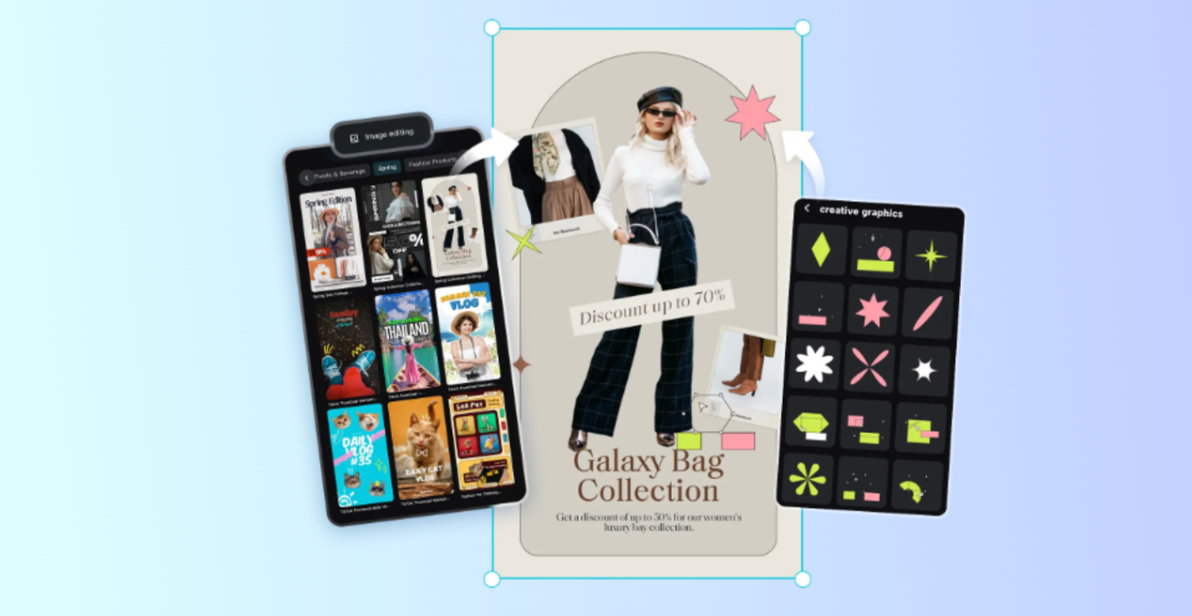
Strong visuals are no longer optional for marketing—they’re essential. Whether you’re promoting a product, building a brand identity, or running social media campaigns, high-quality images can instantly grab attention and build trust. The good news? You don’t need expensive software or professional design skills to create marketing-ready photos.
CapCut Photo Editor on Desktop makes photo editing simple, fast, and creative. Powered by AI, it helps marketers, small business owners, and content creators transform ordinary photos into eye-catching visuals with minimal effort. From product images and promotional posters to social media graphics and ads, CapCut gives you the tools to design visuals that actually convert.
Why CapCut Photo Editor Is Great for Marketing Photos
Marketing images need to do more than just look good. They must communicate a message, reflect brand identity, and encourage action. CapCut Photo Editor is designed with these needs in mind.
First, it offers AI-powered design tools that speed up the creative process. Instead of starting from scratch, you can generate layouts, backgrounds, and visual styles using simple text prompts. This is perfect for busy marketers who need quick results.
Second, CapCut supports multiple marketing formats, including social media posts, ads, posters, banners, and product images. You can easily resize your visuals for platforms like Instagram, Facebook, or online stores without losing quality.
Finally, the interface is beginner-friendly, making it accessible even if you’ve never edited a photo before. At the same time, it includes enough customization options to satisfy more advanced users. And if you work across different devices, CapCut’s Web version lets you crop video clips and make quick browser-based edits, helping your marketing visuals stay consistent everywhere.
How Marketing Photos Benefit from AI Editing
AI editing takes a lot of guesswork out of design. Instead of manually adjusting every detail, CapCut’s AI helps you create clean, professional images that match your marketing goals.
For example, AI can:
- Improve photo clarity and sharpness
- Generate visually balanced layouts
- Create product mockups or promotional visuals
- Enhance backgrounds and lighting
- Maintain consistent branding across designs
How to Edit Photos for Marketing Using CapCut Photo Editor
Step 1: Open CapCut Desktop and Explore AI Design
Start by launching CapCut Desktop on your computer. Once you’re inside the editor, look to the left-hand panel and choose the AI Design option. This section is the creative hub of CapCut Photo Editor. It allows you to generate various visuals, including brand graphics, promotional posters, character illustrations, and product-focused designs. Think of it as a smart assistant that helps turn ideas into visuals.
For marketing purposes, AI Design is especially useful when you need quick concepts for ads, campaigns, or social posts. It removes the stress of blank canvases and helps you focus on messaging and branding instead of technical design work.
Step 2: Upload Your Photo and Describe Your Idea
Once you’re in the AI Design area, it’s time to bring your concept to life. You can either start with a text prompt or upload an existing image as a reference. Begin by typing a clear and descriptive prompt that explains what kind of marketing image you want. The more details you provide, the better the results. You can mention the product type, mood, background, lighting style, and overall look.
If you already have a product photo, click Upload Image to add it. This helps the AI understand your starting point and create more accurate visuals, which is especially helpful for product marketing. Within seconds, CapCut generates image options that align with your prompt. You can refine or tweak your description until the image aligns with your brand vision.
Step 3: Refine, Customize, and Export Your Marketing Image
After your image is generated, CapCut gives you plenty of tools to polish it. This is where you can turn a good photo into a high-impact marketing visual.
You can:
- Adjust or replace the background color
- Add marketing text, headlines, or call-to-action phrases
- Insert logos, icons, or stickers
- Use AI outpainting to expand the image for banners or ads
- Fine-tune layout spacing for better visual balance
These refinements are important for marketing because small details—like text placement or background contrast—can greatly affect engagement.
Once you’re happy with the final look, click Download. Choose your preferred file format (e.g., JPEG, PNG, or PDF) and select the appropriate size for your platform. CapCut also lets you share your image directly to social platforms like Facebook or Instagram, saving even more time.
Conclusion
Editing photos for marketing doesn’t have to be complicated or expensive. With CapCut Photo Editor on Desktop, you can create professional, high-quality marketing visuals using AI-powered tools that simplify every step of the process. By following this workflow—accessing AI Design, describing your idea, and refining your image—you can turn simple photos into powerful marketing assets. Whether you’re promoting products, growing a brand, or running campaigns, CapCut helps you design visuals that look polished, modern, and ready to convert. If you want faster results, creative freedom, and marketing-ready images without the learning curve, CapCut Photo Editor is a smart place to start.
For more, visit Pure Magazine