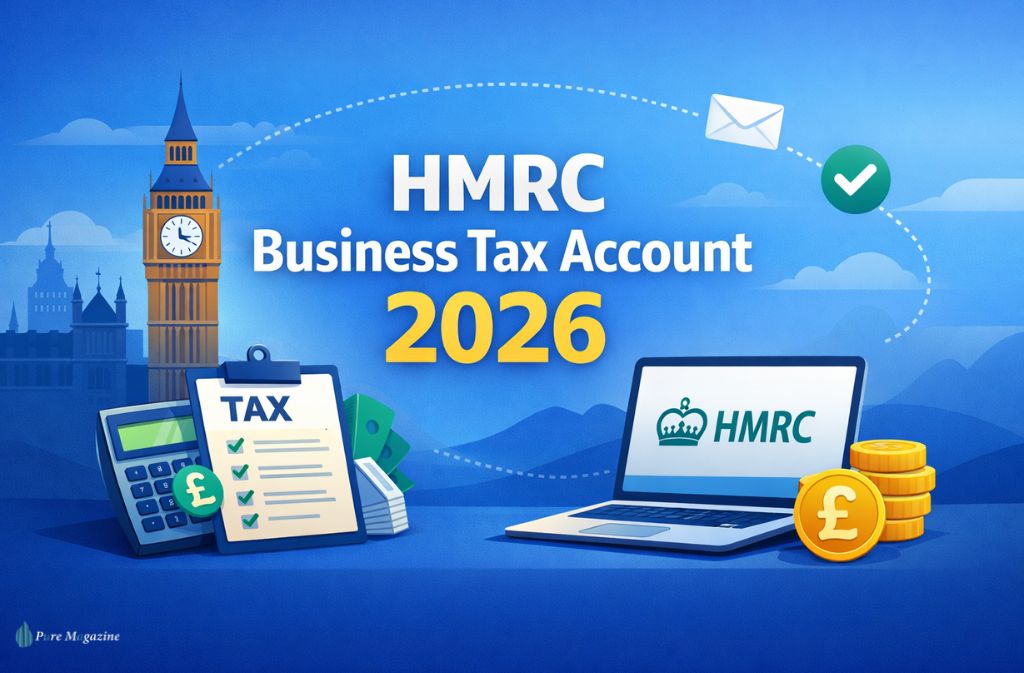
Managing your taxes shouldn’t feel like navigating a maze, but if you’re a business owner, sole trader, or landlord in the UK, your HMRC Business Tax Account is central to staying compliant. In 2026, digital updates such as Making Tax Digital (MTD) and stricter login requirements make understanding this dashboard more crucial than ever.
This guide walks you through everything: from registering and logging in, to adding VAT, PAYE, or Corporation Tax, to handling 2026 updates. By the end, you’ll know exactly how to manage your business taxes online without frustration.
What’s New for 2026? Key Updates
1️⃣ Making Tax Digital (MTD) for Income Tax
- Effective April 6, 2026, sole traders and landlords with gross income over £50,000 must comply with MTD.
- ⚠️ MTD eligibility is based on gross income (turnover), not profit. Example: A landlord collecting £52,000 in rent but spending £10,000 on repairs is still in scope.
- Submissions must be made via MTD-compatible software (Xero, QuickBooks, FreeAgent, Sage).
2️⃣ Government Gateway Login Changes
- 12-digit Gateway User ID is mandatory (email login not accepted).
- Two-factor authentication (2FA) is required.
- Keep your ID safe — losing it is the number one reason for login failure.
3️⃣ Activation codes
- Usually 12 digits, valid for 28 days.
- Each tax (VAT, PAYE, Self Assessment, and Corporation Tax) requires a separate activation code.
- Request a new code if it expires.
4️⃣ Payment Updates
- Pay by Bank Account (Open Banking) is now recommended: auto-populates references and confirms instant payment.
- Traditional transfers to HMRC accounts (Cumbernauld or Shipley) still work but carry a higher risk of reference errors.
What Is the HMRC Business Tax Account?
The HMRC Business Tax Account is your central online dashboard for managing all business taxes. With this account, you can:
- View and pay VAT, PAYE, Corporation Tax, and Self Assessment
- Submit tax returns and updates
- Receive messages from HMRC
- Access digital record-keeping tools for MTD
Think of it as a single hub that brings your entire business tax compliance online.
Step-by-Step: Setting Up Your HMRC Business Tax Account
1 — Visit the Official Login Page
- gov.uk/log-in-register-hmrc-online-services
- Avoid third-party websites to prevent scams.
2 — Create a Government Gateway Account
- Email and a strong password
- Mobile number for 2FA
3 — Save Your 12-Digit Gateway User ID
- Essential for logging into your Business Tax Account
- Cannot be recovered by email if lost
4 — Verify Your Identity
- Passport or driving licence
- Payslips or P60
- Credit reference validation
5 — Add Your Taxes
Click “Add a tax, duty or scheme” from the Business Tax Account dashboard:
| Tax | Requirements | Notes |
|---|---|---|
| Self Assessment | UTR, NI number, full name & address | Must have a UTR; HMRC sends by post if you don’t have one |
| VAT | VAT registration number, effective date | Wait 3–7 days after registration before adding |
| PAYE | Employer PAYE reference, accounts office reference | For new employers, references arrive in 10–15 days |
| Corporation Tax | Company registration number, UTR | Required for limited companies |
Also Check: Unclaimed Tax Refund HMRC: How to Check & Claim Money Owed (2026 Guide)
Digital Record-Keeping for 2026 (MTD Compliant)
- Each transaction must be recorded digitally, not just a photo of receipts
- Required software examples: Xero, QuickBooks, FreeAgent, Sage
- Each entry must include: date, description, value, VAT (if applicable)
Proper digital records make quarterly MTD submissions seamless.
Common HMRC Business Tax Account Issues & Fixes
- Cannot log in: Ensure you’re using the 12-digit Gateway ID, not email
- Cannot add VAT: Wait 3–7 days after VAT registration, check that tax is activated
- Activation code expired: Request a new code
- UTR missing: Contact HMRC; new UTR is sent by post
2026 HMRC Helplines
| Service | Phone | Best Time |
|---|---|---|
| Self Assessment | 0300 200 3310 | 8–9 am |
| PAYE | 0300 200 3200 | 8–9:30 am |
| VAT | 0300 200 3700 | 8–10 am |
| General | 0300 200 3300 | 8–10 am |
FAQs
Q1. What is a Government Gateway ID for HMRC?
A Government Gateway ID is your unique 12-digit login used to access your HMRC Business Tax Account. You cannot use an email address — only this ID lets you:
- Log in to your Business Tax Account
- Access VAT, PAYE, Corporation Tax, and Self Assessment online
- Link your account to MTD-compliant software
💡 Pro Tip: Keep your Gateway ID secure — losing it is the most common reason people cannot log in.
Q2. What is a UTR number?
A UTR number (Unique Taxpayer Reference) is a 10-digit code issued by HMRC for each taxpayer. It is essential for:
- Registering a Business Tax Account
- Filing Self Assessment and Corporation Tax
- Linking your tax records to HMRC online services
✅ Every sole trader, landlord, or limited company will receive a UTR by post when first registered.
Q3. When does Making Tax Digital (MTD) for Income Tax start?
MTD for Income Tax (ITSA) begins on 6 April 2026 for:
- Sole traders earning over £50,000 gross per year
- Landlords earning over £50,000 gross rental income
⚠️ Note: MTD eligibility is based on gross income, not profit. You must submit quarterly updates using MTD-compatible software like Xero, QuickBooks, or FreeAgent.
Q4. How long do HMRC activation codes last?
HMRC activation codes are valid for 28 days from the date of issue.
- Each tax (VAT, PAYE, Self Assessment, Corporation Tax) requires its own code
- Codes are usually 12 digits
- If expired, you must request a new one via your Business Tax Account
Q5. Why can’t I add VAT to my Business Tax Account?
Common reasons you cannot add VAT include:
- Too soon after VAT registration – wait 3–7 days before adding it
- Ensure your account has VAT enabled to activate the tax service.
- Incorrect login – must use 12-digit Government Gateway ID, not email
✅ Once the waiting period passes and your login is correct, you can add VAT via “Add a tax, duty or scheme” in your Business Tax Account dashboard.
Conclusion
Your HMRC Business Tax Account is the central hub for managing your UK business taxes in 2026. By following this guide:
- Register correctly and save your Gateway ID
- Add all relevant taxes (VAT, PAYE, Self Assessment, Corporation Tax)
- Maintain digital records for MTD compliance
- Use recommended payment methods to reduce errors
Following these steps ensures smooth tax management and fewer login or filing issues this year.
✅ Next Steps
- Create or log in to your Business Tax Account today
- Add all relevant taxes
- Verify identity and request activation codes
- Prepare MTD-compliant digital records
Related: List of Tax Codes and What They Mean HMRC: Complete Guide 2026