Arranger keyboards once ruled live performance and home composition. They were powerful, but expensive, bulky, and slow to evolve. That’s why software arrangers quietly carved out a loyal following—and why Giglad software arranger premium still attracts attention years after its release.
Giglad isn’t trying to be a full DAW or a trendy music app. Its purpose is specific: transform your computer into an arranger workstation that reacts to chords in real time, just like a hardware arranger keyboard. For musicians who understand arranger workflows and want flexibility without buying new hardware, Giglad Premium remains a relevant option in 2025–2026.
This guide explains what Giglad Premium actually does, how it works in real setups, its strengths and limitations, and who should (and shouldn’t) use it—without hype or unsupported claims.
What Is Giglad Software Arranger Premium?
Giglad is a professional MIDI-based arranger software developed by Deltarray. It allows musicians to play chords on a MIDI controller and have the software generate full accompaniment styles—bass, drums, harmony, and backing parts—dynamically and in real time.
The Premium edition unlocks full arranger functionality, advanced MIDI handling, style control, and access to Giglad’s internal sound engine and effects.
In practical terms, Giglad behaves much like a hardware arranger keyboard, but runs entirely on a computer.
How Giglad Works (Plain English)
- You play chords on a MIDI keyboard or accordion
- Giglad recognizes those chords in real time
- The arranger engine triggers style patterns
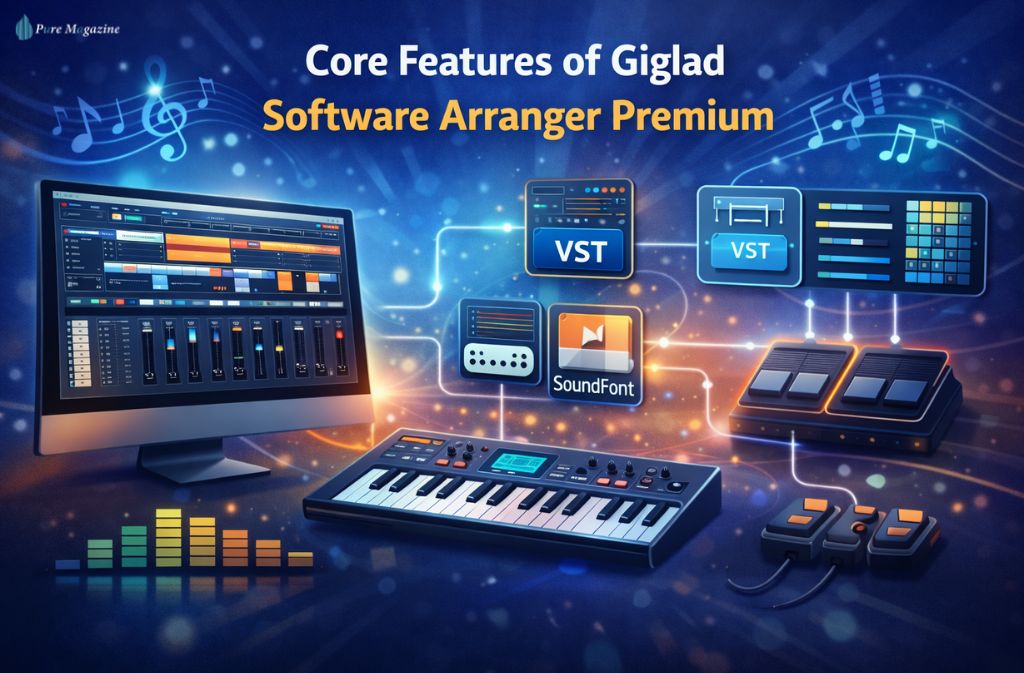
- Sounds are produced using:
- Giglad’s built-in GM sound library, or
- External VST/VST3 instruments, SoundFonts, or hardware modules
This hybrid design is why Giglad appeals to advanced users—it can work out of the box or become part of a fully customized sound setup.
Platform Support (Important Update)
- Windows: Fully supported and widely used
- macOS: Officially supported, but some users report stability quirks depending on macOS version and system configuration
Mac users should verify compatibility with their OS version and audio/MIDI setup before committing to live use.
Core Features of Giglad Software Arranger Premium
1. Real-Time Arranger Engine
Giglad generates accompaniment instantly based on chord input, including:
- Intros, variations, fills, and endings
- Tempo-synced transitions
- Dynamic style switching during performance
2. Built-In Sound Engine + Effects
Contrary to a common misconception, Giglad does generate audio internally:
- GM-compatible internal sound library
- Native effects processing
- Usable without external plugins
That said, many users still prefer external VST instruments for higher sound quality.
3. External VST & SoundFont Support
Giglad integrates well with:
- VST and VST3 instruments
- SoundFont libraries
- External hardware sound modules
This makes it flexible for both minimal and advanced rigs.
4. Advanced MIDI Routing & Control
- Multi-channel MIDI handling
- Keyboard splits and layers
- Foot pedal and controller mapping
- Custom MIDI routing for complex setups
5. Performance-Focused Design
Giglad is built for live responsiveness, not offline arrangement. Latency, chord recognition, and stability are prioritized over flashy UI features.
Also Read: Fan Control Software: Best Tools & Setup Guide (2026)
Giglad Premium vs Hardware Arranger Keyboards
| Feature | Giglad Premium | Hardware Arranger |
|---|---|---|
| Cost | One-time software license | High upfront hardware cost |
| Portability | Laptop-based | Heavy physical unit |
| Sound Engine | Internal + external | Built-in only |
| Upgrades | Software updates | Limited or paid |
| Customization | Very high | Moderate |
| Learning Curve | Medium–High | Low–Medium |
Key difference: Giglad trades simplicity for control and flexibility.
Real-World Use Cases
Solo Performers
Musicians who want full backing arrangements without carrying large keyboards.
Home Studio Composers
Quickly sketching song structures and chord progressions using arranger logic.
Accordionists & Non-Keyboard Players
Giglad is popular in arranger-focused communities because it handles chord recognition cleanly.
Worship & Small Venues
Cost-effective setup paired with customizable sound libraries.
Typical Giglad Setup (Step-by-Step)
Basic Workflow Framework
- MIDI controller (keyboard or accordion)
- Giglad Software Arranger Premium
- Optional VST host (if using external instruments)
- Virtual instruments or sound module
- Audio interface → speakers or PA
This modular approach is why experienced users stick with software arrangers long-term.
Giglad Premium vs Other Arranger Software
| Software | Strength | Limitation |
|---|---|---|
| Giglad Premium | Stable MIDI handling, flexibility | Smaller ecosystem |
| vArranger2 | Frequent updates, modern UI | Higher cost |
| One Man Band | Easier for beginners | Less advanced routing |
| Band-in-a-Box | Excellent for composition | Not live-focused |
Giglad remains relevant because it focuses on live arranger behavior, not automated composition.
Known Limitations & User-Reported Issues
To be transparent, Giglad isn’t perfect:
- macOS stability: Some users report issues with newer macOS versions and Apple code signing.
- MIDI routing quirks: Complex controller setups may require manual configuration.
- Learning curve: Hardware-arranger users may need time to adapt to software workflows.
- Smaller community: Fewer tutorials compared to mainstream DAWs.
These aren’t deal-breakers, but they matter when deciding if Giglad fits your workflow.
About Cracks, Free Downloads & Activation Keys
Searches for Giglad software arranger premium crack, free download, or activation key often lead users toward unsafe or misleading results. While these terms trend frequently, it’s important to understand the real risks behind cracked versions.
Cracked or pirated editions of Giglad typically:
- Contain hidden malware, spyware, or keyloggers
- Break core MIDI and audio engine functionality
- Disable saving, exporting, and plugin integration
- Lack updates, patches, and stability improvements
- Can corrupt project files or damage your system
Simply put: there is no safe cracked version of Giglad. These downloads are unauthorized, unstable, and potentially harmful to your device and data.
The only reliable option is to download or activate Giglad through legitimate channels. For official support, updates, licensing information, and troubleshooting, you should visit the developer’s verified help page.
Also Check: JPRO Software: Complete 2026 Truck Diagnostic Guide
Is Giglad Software Arranger Premium Still Worth It in 2026?
Yes—within its niche.
Giglad does not compete with modern DAWs or mass-market arranger keyboards. Instead, it serves musicians who value:
- MIDI control
- Modular setups
- Long-term flexibility
- Cost efficiency
As of 2026, Giglad maintains an active niche user base, even if it isn’t mainstream. Software arrangers age more gracefully than sound engines, which helps preserve its relevance.
Common Mistakes New Users Make
- Expecting workstation-level sounds without external plugins
- Skipping MIDI configuration
- Using low-quality sound libraries
- Treating Giglad like a DAW
- Ignoring system latency optimization
Avoiding these mistakes dramatically improves the experience.
FAQs
Q1. What is Giglad Software Arranger Premium and how does it work?
Giglad Software Arranger Premium is a computer-based MIDI arranger that generates real-time musical accompaniment from chord input, functioning similarly to a hardware arranger keyboard. It is compatible with both Windows and macOS, allowing musicians to create full backing arrangements using either its built-in GM sound library or external VST instruments.
Q2. Does Giglad Premium produce sound on its own?
Yes. Giglad Premium includes a built-in GM sound library and native effects, which means it can generate audio internally. For higher-quality or custom sounds, it also supports external VST/VST3 instruments and SoundFonts, making it versatile for live performances and studio recordings.
Q3. Is Giglad Software Arranger Premium free?
No. The Premium edition requires a paid license from the official developer, Deltarray. Using the official version ensures stability, full functionality, and access to updates, unlike cracked or unofficial versions that may risk malware or broken MIDI performance.
Q4. Can Giglad replace a hardware arranger keyboard?
For many musicians, yes. Giglad Premium can replace a hardware arranger, especially when paired with quality virtual instruments or sound modules. It offers MIDI-based chord recognition, live accompaniment, and performance features that make it suitable for solo performers, composers, and small bands.
Q5. Is Giglad safe to use on Windows 11 and macOS?
Yes, Giglad is safe when downloaded from the official source. Windows 11 users typically experience full compatibility, while macOS users should verify OS version support and be aware of occasional stability quirks reported in community forums.
Q6. Is Giglad good for live performances?
Yes. Giglad Premium is designed for real-time arranger performance with low latency. Its MIDI routing, keyboard split, and style-switching capabilities make it suitable for live shows, home studios, and rehearsal setups.
Q7. Who should use Giglad Software Arranger Premium?
Giglad is ideal for advanced MIDI users, solo performers, accordionists, home studio composers, and small venue musicians. Beginners may find the software challenging without prior experience in MIDI routing or arranger logic.
Q8. What are the alternatives to Giglad Premium?
Popular alternatives include vArranger2, One Man Band, and Band-in-a-Box. Giglad stands out for its live arranger responsiveness, built-in GM library, and flexible MIDI configuration, making it a strong choice for performance-oriented users.
Conclusion
Giglad software arranger premium remains a capable and flexible arranger solution for musicians who understand MIDI workflows and want control over their sound. It isn’t the easiest option, and it isn’t the most modern-looking—but when configured properly, it delivers arranger functionality that rivals far more expensive hardware setups.
If you’re comfortable with software-based music tools and want an arranger that adapts to your rig instead of locking you into one, Giglad Premium is still worth considering in 2026.
Related: Digital Asset Management Software: Key Features Explained