A fashion clip can look polished while quietly changing the product it is meant to show. A sleeve becomes longer, a fastening moves, or a print gains details that never existed. Those are not small visual quirks when a reader may use the clip to judge a garment. Testing an AI Video Editor for fashion content should therefore begin with a detail-survival test, not a search for the most dramatic camera move.
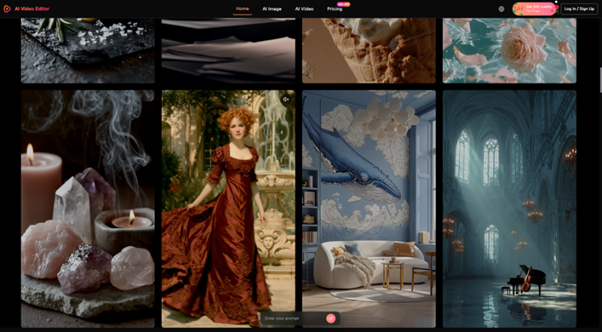
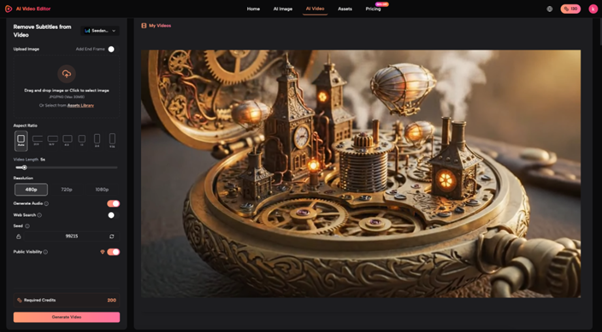
AIVideoEditor.me can animate still images, transform existing footage, and route work through several video models. That flexibility is useful for lookbook motion and editorial teasers, but it also means the operator must decide which source and transformation path fits the garment. A clean studio still, a backlit outdoor image, and a layered outfit expose different failure modes. One attractive demo cannot answer whether the workflow is dependable.
Define the Garment Facts That Cannot Move
Before uploading anything, list the features the clip must preserve. For a jacket, that might include lapel shape, button count, pocket placement, hem length, fabric texture, and the relationship between lining and outer shell. For patterned clothing, include the scale and direction of the print. These facts become rejection criteria. Motion, lighting, and background can change; the garment record cannot.
Choose One Primary View for Each Test
A front view is strongest for symmetry and closure. A three-quarter view reveals volume and seam placement. A rear view is necessary when the back construction matters. Do not ask one image to prove every detail. Pick the view that carries the editorial claim, then keep the animation modest enough that the model does not need to invent unseen areas.
Write One Motion Around the Product
Prompts should describe a single movement and a restrained camera action. “Model turns slightly while the camera makes a slow push; preserve print, buttons, and hem” is reviewable. A long prompt that adds wind, a crowd, a location change, and a complex orbit creates several reasons for the garment to drift. The goal is not to remove creativity. It is to isolate which decision caused the failure.
| Source case | Main risk | Pass signal | Immediate reject |
| Clean studio still | Invented hidden construction | Closures and seams stay fixed | New pockets, buttons, or panels |
| Backlit outdoor image | Lost edge and fabric texture | Silhouette remains readable | Transparent or melted edges |
| Layered outfit | Garments merge during motion | Each layer keeps its boundary | Fabric crosses or fuses |
Run the Same Brief Across Three Sources
Use one motion brief for all three cases. Changing the prompt and the source at the same time makes the results hard to interpret. Keep the intended duration, crop, and camera behavior consistent. Then review the outputs frame by frame at the moments when the subject turns, fabric overlaps, or light crosses an edge. Those transitions reveal more than the clean opening frame.
Start With the Clean Control Image
The studio image establishes what the model can preserve when the source is clear. If buttons multiply or the print swims even here, the workflow is not ready for that garment. Tighten the prompt once and reduce the motion once. If the same fact changes again, stop. Repeated generation is not a substitute for a stable source-to-output relationship.
Use Backlight to Expose Edge Failures
Fine straps, lace, fringe, sheer fabric, and flyaway hair all compete at a bright edge. The backlit case shows whether the animation separates them or turns them into a moving blur. AIVideoEditor.me offers image-led generation and different model choices, but model switching should follow a diagnosed failure. First identify whether the issue is the source, the instruction, or the motion request.
Use Layers to Test Visual Ownership
A coat over a knit top, a scarf crossing a collar, or a bag strap over a sleeve creates contact points. Inspect those points during the full clip. When a strap disappears behind the wrong layer or a lapel attaches to a shirt, the output changes how the outfit is constructed. That is a product error even if the overall image remains stylish.
Teams that Edit Videos Online should keep the accepted source, prompt, model choice, and final clip together. The platform’s terms also make the uploader responsible for rights and permissions. A campaign image supplied by a photographer or label needs the same clearance for animation that it would need for any other derivative use.
Compare Outputs by Truth Before Aesthetic Preference
Reviewers should score factual preservation before style. Start with a binary product check: correct or changed. Then assess motion quality, crop, mood, and editorial fit. This order prevents an impressive camera move from winning over a quieter clip that represents the garment accurately.
Pause on Contact and Turn Frames
Do not review only at normal playback speed. Pause when hands touch clothing, when the body turns, and when one layer crosses another. Compare those frames with the source. A detail that drifts for half a second may still mislead a reader who pauses the clip or sees an automatically selected thumbnail.
Keep a Short Shared Rejection Vocabulary
Use concrete labels such as print drift, closure change, fused layers, edge melt, body distortion, and invented accessory. These labels make review faster and help the operator decide what to change. “Looks weird” produces another random attempt. “Left pocket disappears during the turn” points to a specific failure and a clear acceptance check.
Add one still frame beside every rejection code. The frame keeps reviewers from debating memory and lets the operator compare the next attempt at the exact failure point. When two attempts break the same construction detail, stop changing style words and reduce the requested movement or return to a stronger source.
A fashion editor should also compare the clip with the product page or approved sample sheet. Color shifts caused by display settings require judgment, but a new fastening, altered print, or different hem is not subjective. The source record wins over the generated frame.
Paid plans on the platform list private generation, no watermark, and commercial licensing, but those plan labels do not clear third-party source rights or guarantee product fidelity. The team still needs permission for the input and its own product-truth review for the output.
Use Motion Only After the Still Tells the Truth
AIVideoEditor.me can be useful for restrained fashion teasers, lookbook transitions, and editorial motion when the source image is strong and the garment facts are explicit. It is less suitable when the only available image hides construction details or when the concept depends on extreme movement across layered clothing.
The strongest clip is not the one with the most movement. It is the one that adds rhythm while leaving the product record intact. If fabric, trim, silhouette, and identity survive the three-source battery, the motion has earned its place. If they do not, publish the still.
Keep the failed tests; they are useful evidence for the next garment and the next brief.
For more, visit Pure Magazine