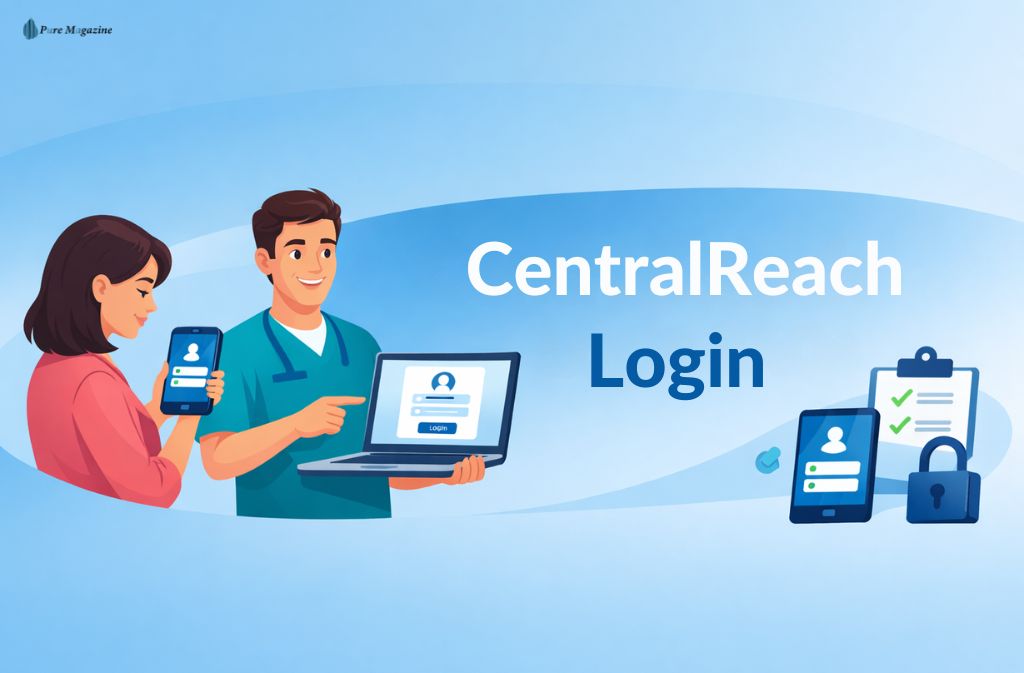
Central Reach is the backbone of thousands of ABA providers, clinics, and therapy teams—but navigating the login portals can be confusing. Between member portals, client access, employee dashboards, mobile apps, and the CentralReach Institute, many users end up stuck on the wrong page or facing frustrating redirects.
This guide eliminates that friction. You’ll discover every official Central Reach login path, step-by-step instructions, and proven solutions for common login problems, all updated for 2025.
Central Reach Login Checklist (Quick Access)
Before logging in, confirm these 5 essentials:
- 🔹 Your role: Employee / Provider · Client / Parent · Student / Trainee · Admin
- 🔹 Correct portal: Main CentralReach · Member Portal · Client Portal · Institute · Essentials
- 🔹 Official login link: Provided by your organization (no universal member URL exists)
- 🔹 Registered email address: Usually your work email or provider-assigned email
- 🔹 Account activation completed: Check your inbox or spam folder
Still can’t log in? Scroll down for step-by-step instructions and fixes.
What Is CentralReach?
CentralReach is a leading ABA practice management platform used across behavioral health and autism services.
It powers:
- Clinical data collection and session documentation
- Staff scheduling and workflow management
- Billing, insurance, and compliance
- Learning, training, and certifications
Due to multiple user types, CentralReach has distinct login portals for employees, clients, students, and administrators.
Central Reach Login Portals (2025)
1. Main CentralReach Login (Employees & Providers)
Used by:
- BCBAs, RBTs
- Clinic administrators
- Billing and operations staff
After clicking Login, users are routed to their organization-specific portal. This redirection is normal.
2. Central Reach Member Login
Important: There is no universal member login page.
Access depends on:
- Your employer or clinic setup
- Organization-specific subdomains
- Work or registered email
Ask your admin for the exact member login URL.
3. CentralReach Client / Parent Portal Login
Clients and parents log in through provider-specific portals, not the main website.
Each clinic or therapy group hosts its own CentralReach portal, enabling:
- Session data viewing
- Progress tracking
- Communication with providers
4. CentralReach Institute Login
Used for:
- Professional training
- CEUs and certifications
- Learning modules
Requires:
- Separate credentials (often work email)
- Enrollment via your organization or CentralReach Institute
5. CentralReach Essentials Login
URL: https://app.cressentials.com/users/sign_in
- For small clinics or Essentials-only deployments
- Streamlined access for growing practices
Also Check: Gimkit Login: A Simple Guide for Students and Teachers
Step-by-Step CentralReach Login Guide
Step 1: Confirm Your Role
Identify whether you are an employee, member, client, student, or admin. Each role uses a different portal.
Step 2: Use the Official Link
Always use the official URL provided by your organization. Avoid third-party login helpers.
Step 3: Enter Credentials
- Use your work or assigned email
- First-time users must activate the account via email
Step 4: Complete Security Verification
Many organizations require:
- Email codes
- Two-factor authentication
- Secure device verification
This ensures HIPAA-compliant security.
CentralReach Login Issues & Fixes
- Wrong portal: Confirm your role and portal type
- Forgot password: Use the “Forgot Password” link on the correct page
- Account not activated: Check inbox/spam or request a new activation email
- Browser issues: Use updated Chrome, Edge, or Safari; clear cache or try incognito
- Mobile app issues: Confirm your organization allows full app access; update to the latest version
CentralReach Mobile App
The official CentralReach mobile app supports:
- Session data collection
- Field documentation
- Clinician access on-the-go
Note: Mobile features depend on organizational settings.
Also Check: Vetter Software Login (DaySmart Vet 2025): Official Portal, Fixes & Security Guide
CentralReach Login Security (2025)
- HIPAA-compliant and role-based
- Organization-controlled access
- Do not share credentials
- Contact your admin for any suspected security issues
FAQs
Q1. What is the correct CentralReach login?
The correct CentralReach login depends on your role. Employees and providers must use their organization-specific portal, while clients and parents log in via a clinic-hosted portal. There is no universal login for all users, so always use the link provided by your organization to avoid access issues.
Q2. Is there an official CentralReach member login page?
No. A CentralReach member login page is unique to each organization. Members must always use the specific URL provided by their employer or clinic for secure access.
Q3. How do clients log in to CentralReach?
Clients and parents access CentralReach through a provider-specific client portal, not the main website. Each clinic controls its own portal, allowing clients to view session data, track progress, and communicate with their care team safely.
Q4. Why does CentralReach redirect me after login?
Redirection is a normal part of the Central Reach login. It ensures you are routed to your organization-specific environment, maintaining proper access permissions and security in compliance with HIPAA standards.
Q5. Can I use CentralReach on mobile devices?
Yes. CentralReach offers mobile apps for iOS and Android, allowing clinicians and staff to access schedules, document sessions, and manage workflows on the go. Availability of certain features depends on your organization’s configuration.
Q6. What should I do if my CentralReach login is not working?
If you encounter login issues:
- Confirm you are using the correct portal for your role
- Check that your email and password are accurate
- Ensure your account is activated via email
- Contact your organization administrator if problems persist
Following these steps typically resolves 90% of login errors.
Q7. Is CentralReach free to use?
No. CentralReach is a licensed platform used by ABA providers and clinics. Employees, clients, and parents receive access through their organization at no direct cost.
Conclusion
Central Reach login issues almost always result from using the wrong portal.
By confirming your role, using the official URL, and completing activation steps, logging in becomes straightforward. For anything beyond that, your organization administrator is the fastest support route.
Related: UGE Schedule Source Login & App Guide (2025) – Fix Schedule Issues Fast