For a long time, the path to video felt predictable. You planned a shot list, gathered footage, edited clips, adjusted pacing, and only then arrived at something that could be published. That process still matters, but it is no longer the only way motion begins. Tools built around Image to Video AI suggest a different starting point: motion can begin with a single image, a written instruction, and a browser window. That change may sound small at first, yet it shifts how people think about video creation altogether.
The practical reason this matters is simple. Many teams do not lack ideas. They lack time, editing bandwidth, and production flexibility. A product marketer may already have a folder of polished campaign stills. A creator may already have strong portraits, travel photos, illustrations, or concept visuals. An educator may already have diagrams that explain the topic well. What is missing is movement. In that context, the value of an image-to-video platform is not that it replaces every traditional workflow. It is that it converts visual readiness into motion readiness much faster than older systems usually allow.
What stands out to me is that this kind of product changes the order of creative work. Instead of asking, “How do I shoot a video for this idea?” users can ask, “How should this image behave if it were allowed to move?” That is a very different creative question. It is less about assembling footage and more about directing potential. Once that shift happens, still images stop feeling like finished endpoints and start feeling like motion assets waiting to be activated.
How Still Images Gain A New Creative Role
A still image has always contained more information than people sometimes notice. It contains framing, emotional tone, spatial hierarchy, lighting decisions, and subject emphasis. In other words, it already carries the ingredients of direction. What it lacks is time.
That missing dimension matters because digital audiences now interpret movement as a signal of relevance. Motion implies recency, polish, and intention. When an image becomes a moving scene, the viewer experiences it differently. A portrait may feel more intimate. A product display may feel more dimensional. A place may feel more immersive. None of this requires a full cinematic production, but it does require a system that can translate static structure into temporal experience.
The Value Is Not Only Visual Drama
It is easy to assume that motion is useful only because it looks more impressive. In practice, its value is broader. Motion changes pacing. It changes attention. It changes what the eye sees first and what the viewer remembers after the clip ends.
For brands, that can mean better communication of texture or scale. For creators, it can mean more emotional atmosphere. For educators, it can mean clearer sequencing. In each case, movement is not decorative. It is functional.
Static Assets Become Reusable In More Formats
Many organizations already invest heavily in photography, design, and still imagery. The challenge is that these assets often get used once and then sit unused while demand shifts toward short-form video. A good image-to-video workflow extends the lifespan of those assets.
This is one reason the category has become more relevant. It helps people build more from what they already own rather than starting from zero every time a new publishing need appears.
Reusability Often Matters More Than Novelty
In my view, one of the most useful features of this type of tool is not that it creates something flashy. It is that it makes existing visuals newly useful. That is often a more important business advantage than raw novelty.
What The Official Workflow Reveals About The Product
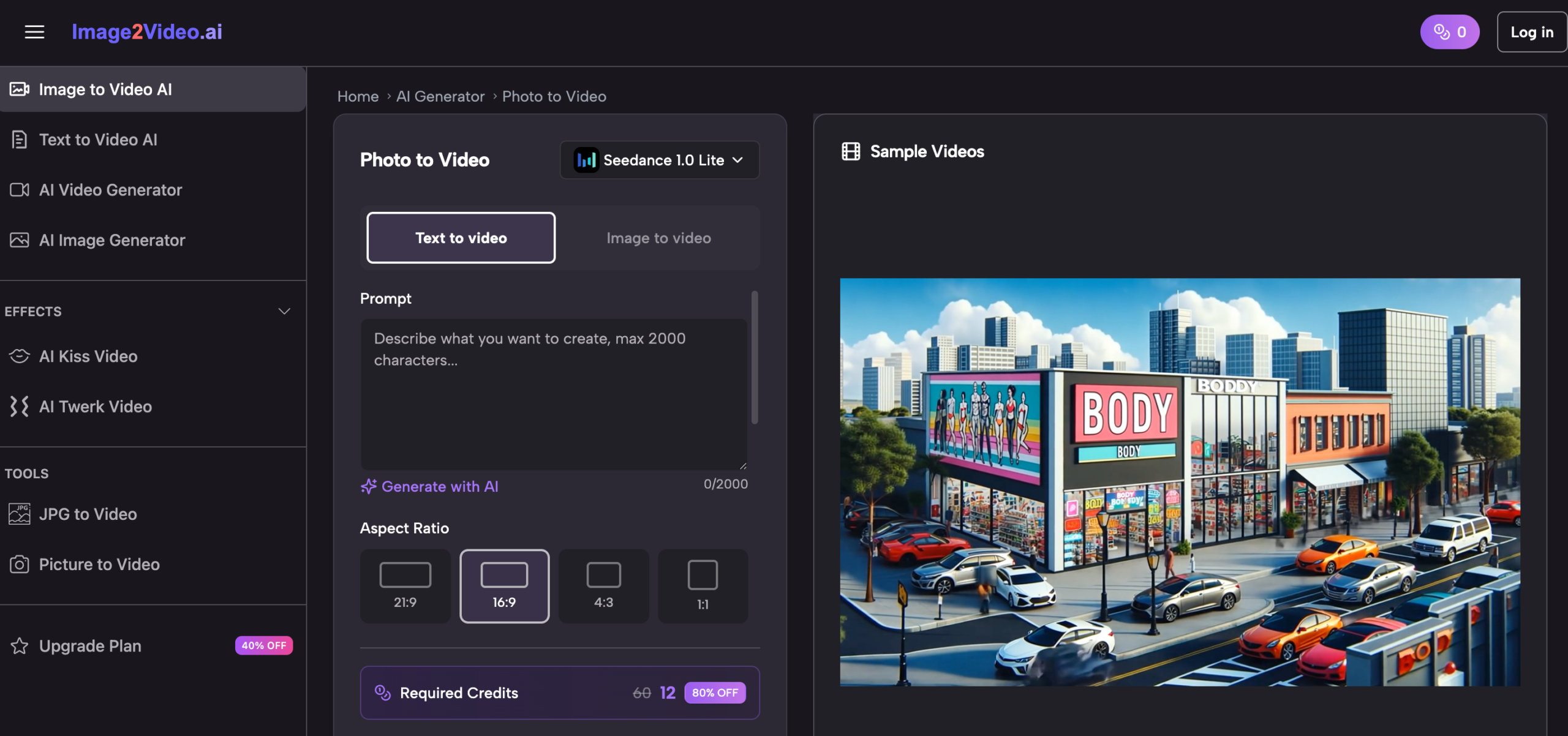
The official process shown on the platform is straightforward, and that simplicity tells us a lot about how the product wants to be used. The sequence is visible, practical, and clearly designed for accessibility rather than complexity.
Step One Begins With Uploading The Image
The first official step is to upload a JPEG or PNG image. That sounds basic, but it establishes the entire creative logic of the system. The process starts from a visual asset the user already has. That means the product is positioned for people who want to work from existing materials rather than generate everything from scratch.
The source image therefore matters a great deal. Strong composition, readable focus, and clean subject definition are likely to support better motion results. A cluttered or weak image may limit the final output before prompting even begins.
Step Two Uses Prompt Text As Direction
After upload, the user enters a text prompt to describe the desired motion or effect. This is where the product becomes more than a simple animation filter. It does not just make images move by default. It asks the user what kind of movement should happen.
That design choice is important because it keeps the workflow accessible without removing creative intent. A user who can describe atmosphere, action, or camera feeling in plain language can participate meaningfully in the process.
Step Three Depends On Cloud Processing
The official page then describes a processing period that typically takes several minutes. This is a reminder that the product is not a manual editor in the traditional sense. It is a generation service. The user prepares the request, submits it, and waits while the platform performs the work in the background.
In practical terms, this changes expectations. The tool is not built around frame-by-frame manipulation. It is built around submitting direction and receiving a generated result.
Step Four Ends With Completion And Sharing
Once processing is complete, the user can review the result and share or download it. This final step confirms that the platform is designed around finished output rather than prolonged editing sessions.
The Workflow Is Intentionally Narrow
Upload, describe, wait, review. That is not a limited version of a larger editing suite. It appears to be the product’s main identity. The narrowness is part of the point. By reducing steps, the platform reduces hesitation.
Why This Approach Feels Timely For Modern Content
The current media environment rewards teams that can publish consistently, test quickly, and adapt old materials into new forms. In that environment, the traditional line between photo and video has become less stable.
A platform built around Photo to Video fits that shift because it works at the exact moment where visual inventory meets publishing pressure. It does not ask whether you can afford a full shoot. It asks whether you already have a good image and a clear intention.
Marketing Teams Need More Variations Than Before
One campaign image is rarely enough now. Teams need different cuts, different aspect-friendly assets, different emotional tones, and more posting frequency. A still image that can become a moving asset is easier to reuse across these demands.
That does not mean the generated clip replaces premium production. It means it fills the space between still photography and large-scale video work.
Creators Need Frictionless Experimentation
Creators often succeed not by perfect planning but by repeated experimentation. A workflow that begins with an image and a prompt lowers the cost of testing ideas. More experiments usually lead to better instincts over time.
Educational Content Needs Guided Attention
A still diagram or visual explanation can be helpful, but guided movement often makes it easier to understand sequence or emphasis. When motion is controlled and purposeful, it can improve comprehension without overwhelming the viewer.
Personal Content Also Benefits From Restraint
Not every use case needs spectacle. Memory content, old photos, and personal archive material often benefit most from subtle motion rather than dramatic transformation. A gentle animated effect can make an image feel present without distorting its emotional tone.
What Makes The Platform More Than A Single Tool
The homepage suggests that the product is not only one image-to-video box. It is structured more like an ecosystem of adjacent AI generation paths, including text-driven creation and themed effect pages.
The Site Supports Different Entry Points
Some users start with a picture. Others start with a desired outcome. Others may start with curiosity about camera movement or specific effects. The platform appears designed to meet these different user mindsets without forcing one technical vocabulary on everyone.
That is smart product design. Most people do not think in product architecture terms. They think in outcomes.
Themed Effects Help Non Technical Users Enter Faster
Pages centered around recognizable outcomes such as old photo animation or character-like interaction effects show that the product is also organized around familiar desires. That makes it easier for casual users to understand what the tool is for.
Camera Motion Is More Important Than It Sounds
The mention of pan, zoom, tilt, and rotation may seem like a minor feature note, but I think it matters. Camera movement changes how motion is interpreted. It can make the result feel more cinematic, more observational, or more emotionally focused.
Direction Creates The Difference Between Motion And Meaning
Random animation can feel artificial. Directed motion can feel intentional. Even limited control over movement type can turn a clip from a gimmick into a usable visual asset.
A Comparison That Clarifies Its Role
The platform becomes easier to understand when it is placed beside more traditional creation methods.
| Dimension | Browser Based Image To Video Workflow | Traditional Video Workflow |
| Starting point | Existing still image | Recorded video footage |
| User input | Prompt plus source image | Shooting, editing, timeline control |
| Setup burden | Low | Higher |
| Speed to first result | Relatively fast | Usually slower |
| Technical barrier | Lower | Higher |
| Best use case | Quick motion assets and experiments | Deep custom storytelling |
| Control depth | Moderate and guided | Extensive and manual |
| Asset reuse value | High for photo libraries | Depends on footage inventory |
This comparison is useful because it prevents exaggerated expectations. The platform is not trying to do exactly what a full editing suite does. It is solving a different problem.
Where Users Should Stay Grounded
The strongest analysis of any AI product includes its limits, and this category certainly has them.
Prompt Quality Still Matters
A simple interface does not remove the need for good direction. Vague prompts may lead to generic or awkward movement. Users still need to think clearly about what kind of motion matches the image.
Not Every Image Converts Gracefully
Some visuals naturally support motion. Others do not. Busy layouts, unclear subjects, or weak focal structure can reduce the effectiveness of the result.
First Pass Results May Need Iteration
The official workflow is simple, but simple does not mean perfect on the first attempt. In my experience with tools in this category, quality often improves after adjusting the image choice or refining the prompt.
Convenience Comes With Trade Offs
A browser-first generation platform usually cannot offer the same depth of manual refinement as a traditional professional editing workflow. That trade-off is not necessarily a weakness. It simply defines where the tool is stronges.
Why The Creative Implication Is Bigger Than The Tool
The deeper significance of image-to-video systems is not just that they generate clips. It is that they alter how people think about the boundary between static and moving media.
Images Become Starting Materials Rather Than Finished Assets
Once an image can be directed into motion through text and processing, it becomes part of a larger content system. It is no longer fixed in one format.
Small Teams Gain More Publishing Flexibility
Teams that cannot constantly film new footage still need motion-rich content. This kind of platform gives them a way to stay visually active without expanding their production stack too dramatically.
The Shift Is Conceptual As Much As Technical
What changes here is not only workflow speed. It is creative mindset. People begin to see motion as something that can emerge from an image rather than something that requires a separate production event.
That Is Why The Category Keeps Growing
The tools that matter are often the ones that reduce the distance between intention and execution. This type of platform does exactly that. It lets users begin with a single image, a clear direction, and a manageable process. In a content environment defined by speed, iteration, and visual abundance, that is a meaningful capability rather than a passing trick.
For more, visit Pure Magazine