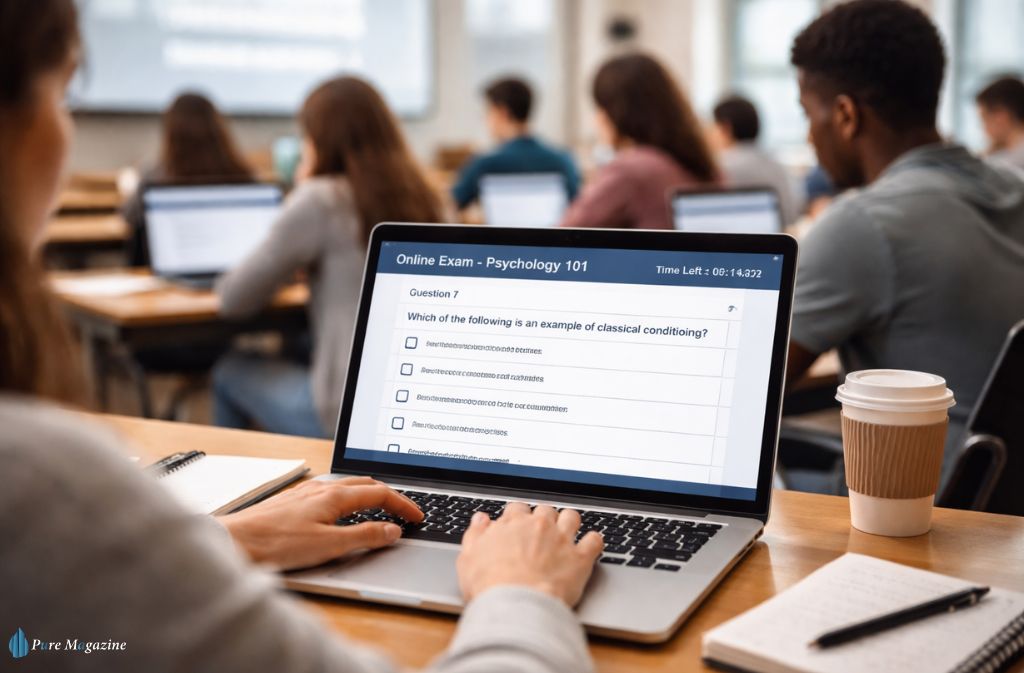
The Samigo app is often misunderstood online. Many search results describe it as a generic productivity tool or collaboration platform. In reality, the Samigo app is something more specific—and far more influential in education.
The Samigo app is a core assessment tool used within the Sakai ecosystem. It powers quizzes, exams, surveys, and self-assessments for universities and institutions around the world.
If you have ever taken an online quiz through a university learning portal, there’s a strong chance Samigo was running behind the scenes.
In this guide, we’ll break down:
- What the Samigo app actually is
- How it works inside the Sakai platform
- Its core features and collaboration capabilities
- Why institutions still use it in 2026
- The limitations students and instructors should know about
Let’s start with the basics.
What the Samigo App Actually Is
The Samigo app is an online assessment and testing tool built for the Sakai Project.
Inside Sakai, Samigo handles:
- Online quizzes
- Formal exams
- Surveys
- Practice tests
- Self-assessment exercises
Unlike standalone productivity apps, Samigo does not function independently. It works inside the Sakai learning management system (LMS) used by universities, schools, and research institutions.
In simple terms:
| Component | Purpose |
|---|---|
| Sakai LMS | The overall learning platform |
| Samigo | The assessment and testing tool |
| Course tools | Assignments, forums, resources |
So when students log into their university portal and open a test or quiz, they’re often interacting with Samigo’s assessment engine.
Why the Samigo App Matters in 2026
Online learning has matured dramatically over the past decade.
But one challenge remains constant:
Reliable digital assessment.
Universities need tools that can:
- Manage thousands of simultaneous exams
- Grade automatically
- Support different question types
- Prevent academic dishonesty
The Samigo app solves these problems through structured assessment management.
Even in 2026, many institutions still rely on it because it offers:
- Proven stability
- Deep LMS integration
- Flexible question formats
- Automated grading workflows
While newer platforms exist, Samigo remains a trusted backbone of academic testing infrastructure.
Core Features of the Samigo App
The Samigo app includes a wide range of features designed specifically for academic assessment.
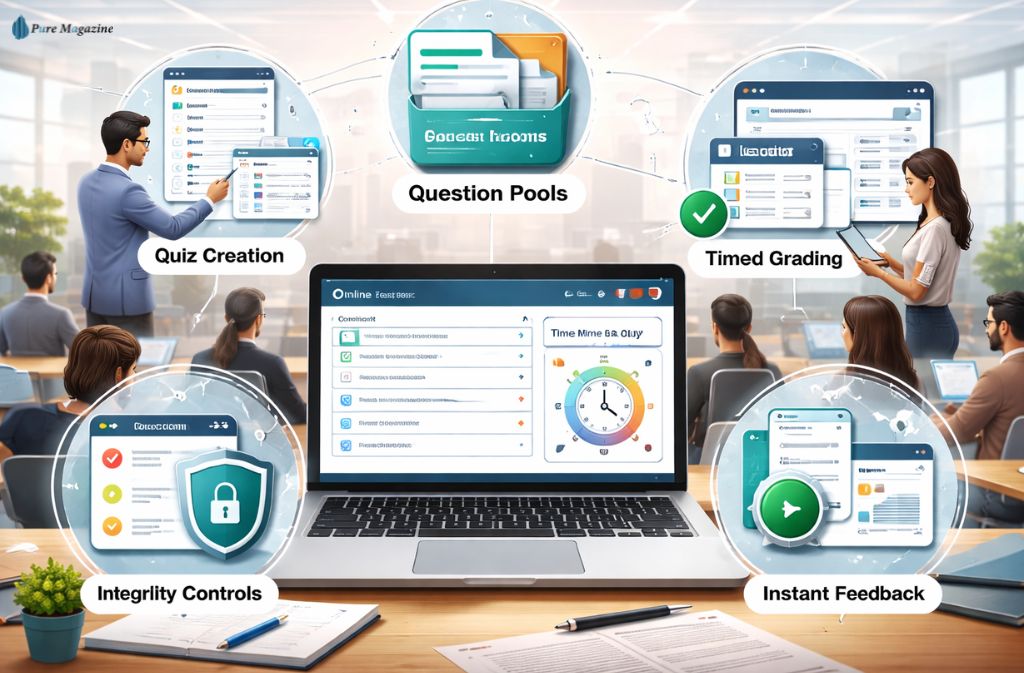
1. Advanced Quiz and Test Creation
Instructors can build assessments with multiple question types:
- Multiple choice
- Short answer
- Essay responses
- True/false
- Matching questions
- Fill-in-the-blank
- Numeric responses
This flexibility allows professors to design tests that evaluate both knowledge and reasoning.
2. Question Pools and Reusable Banks
One of Samigo’s most powerful features is the question pool system.
Teachers can create large question libraries and reuse them across:
- Multiple courses
- Future semesters
- Randomized exams
Benefits include:
- Reduced exam creation time
- Better academic integrity
- More varied assessments
For example, a professor might create 200 calculus questions and have Samigo randomly select 20 for each student.
3. Automated Grading
Many question types can be graded instantly.
Samigo automatically scores:
- Multiple choice questions
- Numeric answers
- True/false
- Matching exercises
This dramatically reduces grading workload for instructors handling large classes.
In courses with hundreds of students, automated grading can save dozens of hours per semester.
4. Timed Exams and Availability Windows
Instructors can control:
- Exam start dates
- Submission deadlines
- Time limits
- Access permissions
For example:
| Setting | Example |
|---|---|
| Availability | April 10 – April 12 |
| Time limit | 90 minutes |
| Attempts allowed | 1 |
| Password protection | Optional |
This ensures assessments run smoothly even in large online courses.
5. Academic Integrity Controls
Universities use Samigo to reduce cheating during online tests.
Features include:
- Question randomization
- Answer order randomization
- Time limits
- Limited attempts
- Delayed feedback
These tools make it much harder for students to share answers during exams.
6. Real-Time Results and Feedback
After submitting a test, students may receive:
- Immediate scores
- Correct answers
- Instructor comments
- Detailed feedback
However, instructors can also delay results until all students complete the exam.
This prevents information leaks during active assessments.
Also Read: Right To Work Share Code: 7 Problems & How To Fix Them
How the Samigo App Works for Students
From a student’s perspective, the Samigo app workflow is straightforward.
Step 1: Log into the university LMS
Students access their course through Sakai.
Step 2: Open the assessment tool
The test appears in the course dashboard.
Step 3: Start the quiz
The interface displays:
- Instructions
- Time limits
- Question navigation
Step 4: Submit answers
Students can review responses before final submission.
Step 5: View results
Depending on instructor settings, results may appear immediately or later.
The entire process happens inside the course environment, so students rarely realize they’re using Samigo specifically.
Practical Example: A University Using Samigo
Consider a typical large university course:
Introduction to Psychology
Class size: 350 students
The instructor uses the Samigo app to:
- Create a question pool of 500 questions
- Randomly generate 50-question exams
- Limit exam time to 75 minutes
- Automatically grade objective questions
Result:
- Students receive instant scores
- Professors only grade essay questions
- Exams remain unique for each student
Without a tool like Samigo, managing such large assessments would be nearly impossible.
Samigo App vs Modern LMS Assessment Tools
While Samigo remains widely used, other platforms now offer competing solutions.
Here’s how it compares.
| Feature | Samigo App | Modern LMS Tools |
|---|---|---|
| Integration | Deep Sakai integration | Varies by platform |
| Question pools | Strong | Strong |
| Automated grading | Excellent | Excellent |
| User interface | Older design | Modern UI |
| Cloud optimization | Moderate | High |
| Analytics | Basic | Advanced |
The biggest criticism of the Samigo app is its aging interface, not its functionality.
Also Check: Sovapp Explained (2026): Sleep App, Login, Download & Real Meaning
Common Misconceptions About the Samigo App
Several misunderstandings appear in search results.
Misconception 1: Samigo is a social collaboration app
False.
It is an academic assessment tool, not a team productivity platform.
Misconception 2: Samigo is a standalone mobile app
Incorrect.
Samigo works within the Sakai learning management system.
Misconception 3: Only small schools use Samigo
Not true.
Large universities—including research institutions—have used it for years.
Limitations of the Samigo App
Despite its strengths, the Samigo app has some drawbacks.
1. Outdated Interface
The user interface feels dated compared to modern LMS tools.
Students sometimes find navigation confusing.
2. Limited Analytics
Newer assessment platforms offer:
- AI grading insights
- performance prediction
- learning analytics
Samigo’s reporting is relatively basic.
3. Mobile Experience
While usable on phones, it isn’t optimized like modern mobile-first learning apps.
The Future of the Samigo App
The future of Samigo depends largely on the evolution of the Sakai ecosystem.
Some universities are migrating toward:
- Canvas
- Blackboard
- Moodle
However, many institutions continue using Sakai because of its open-source flexibility and cost advantages.
As long as Sakai remains active, the Samigo app will likely continue evolving alongside it.
FAQs
Q. What is the Samigo app used for?
The Samigo app is an online assessment tool used within the Sakai learning management system. It allows instructors to create quizzes, exams, surveys, and automated tests for students.
Q. Is the Samigo app a standalone app?
No. The Samigo app functions inside the Sakai LMS. Students access it through their university’s course portal rather than installing it separately.
Q. Can students take exams using the Samigo app?
Yes. Universities use Samigo to deliver:
- Online quizzes
- midterm exams
- final assessments
- practice tests
Students complete these assessments directly within their course dashboard.
Q. Is the Samigo app safe for academic exams?
Yes. It includes multiple integrity features such as:
- randomized questions
- time limits
- restricted attempts
These help universities maintain fair testing conditions.
Q. Why do universities still use Samigo?
Many institutions continue using Samigo because it is:
- stable
- open source
- deeply integrated with Sakai
capable of managing large-scale online assessments.
Conclusion
The Samigo app may not be flashy, but it plays a critical role in digital education.
Hidden behind university portals, it powers:
- quizzes
- exams
- automated grading
- academic assessments for thousands of students.
Its strength lies in reliability rather than modern design.
In a world increasingly dependent on online learning, tools like Samigo ensure that education remains structured, measurable, and scalable.
And that’s why—despite newer platforms—the Samigo app continues to matter in 2026.
Related: WoofApps Login: Complete VCA Employee Portal Guide (2026)