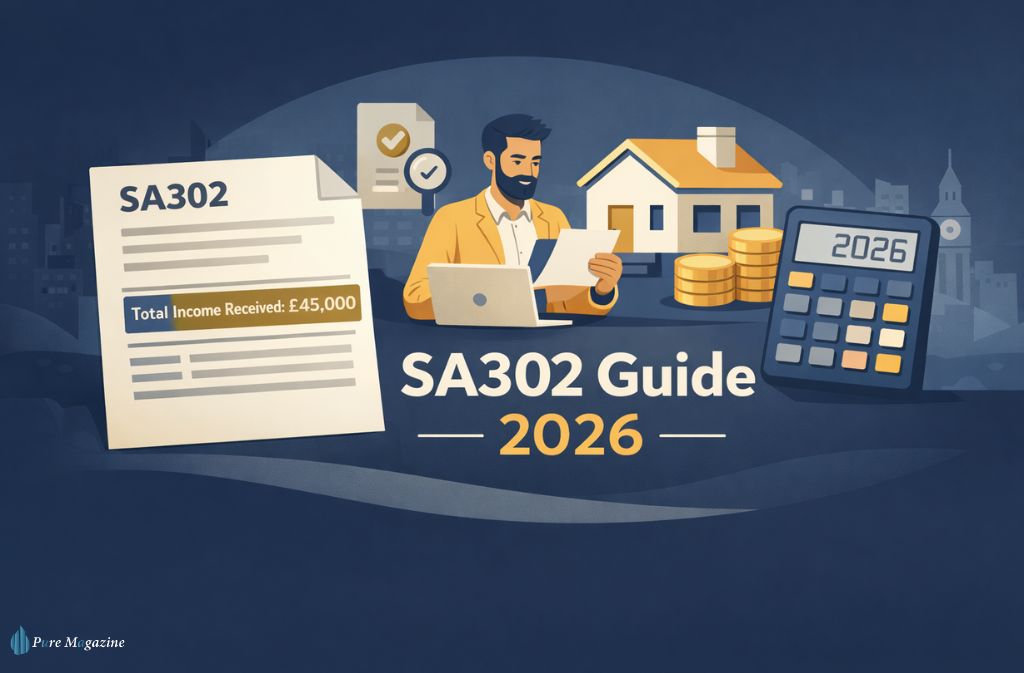
The message usually lands at the worst possible moment.
“Can you send your SA302 and Tax Year Overview by Friday?”
If you’re self-employed, that single request can trigger a scramble — logging into HMRC, checking which tax year was filed, wondering whether the PDF will download in time, and quietly hoping your mortgage offer isn’t about to wobble because of one missing document.
The SA302 sounds technical. In reality, it’s simply your official tax calculation from HM Revenue & Customs — and it has become one of the most important documents for mortgage applications, loan applications, and financial checks in the UK.
This guide goes further than most. You’ll learn exactly what an SA302 shows and what it doesn’t, how to download it properly from your HMRC online account, why lenders ask for a Tax Year Overview too, how Making Tax Digital for ITSA changes things in 2026, why limited company directors need to think differently, and insider mortgage tips most brokers don’t spell out.
Let’s make sure you never panic over this document again.
What Is an SA302?
An SA302 is the official tax calculation issued after you submit your Self Assessment tax return.
It summarises your total income for the tax year, income tax due, National Insurance contributions, student loan repayments (if applicable), your final tax liability, and any outstanding amounts.
Think of it this way:
- Your tax return = what you submit
- Your SA302 tax calculation = what HMRC calculates from it
It’s not a form you fill out. It’s the official output generated by HMRC’s system. As GOV.UK’s official SA302 guidance confirms that you can get a copy of your tax calculation for use in mortgage applications or any situation requiring it on HMRC-headed paper.
Why Lenders Ask for an SA302
If you’re employed, lenders ask for payslips and a P60. If you’re self-employed, there are no payslips. So lenders rely on SA302s — usually two to three years’ worth — alongside Tax Year Overviews.
They use these to assess income stability, growth or decline trends, whether tax has been paid, and whether your declared income supports the borrowing amount.
In simple terms, the SA302 proves your earnings are real — and declared. Understanding how much of your income falls within each tax band helps explain why lenders scrutinise the total income figure so carefully, since it directly determines your tax liability and signals affordability.
SA302 vs Tax Year Overview (Critical Difference)
Many people mix these up.
| Feature | SA302 | Tax Year Overview |
|---|---|---|
| Shows income breakdown | ✅ Yes | ❌ No |
| Shows tax liability | ✅ Yes | ✅ Yes |
| Confirms tax paid | ❌ Not fully | ✅ Yes |
| Required for mortgage | ✅ Yes | ✅ Yes (paired) |
The SA302 shows how your tax was calculated. The Tax Year Overview confirms whether you’ve actually paid it. Most lenders want both — submitting one without the other is one of the most common reasons mortgage applications stall.
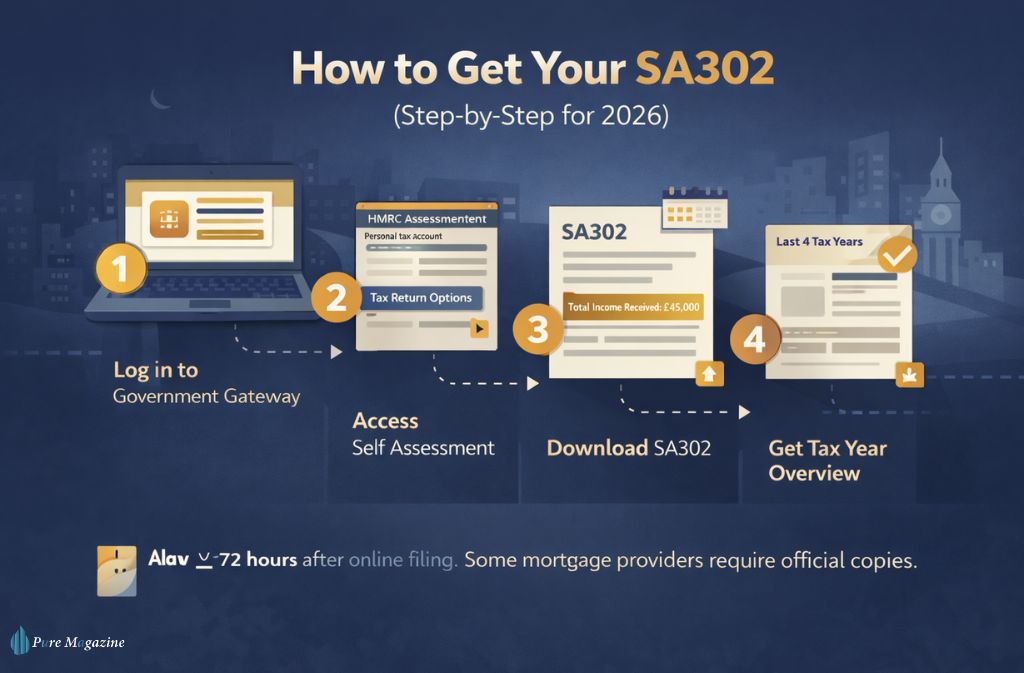
How to Get Your SA302 (Step-by-Step for 2026)
Here’s the fastest way.
Step 1: Log in to your HMRC Online Account
Go to your Government Gateway personal tax account. You’ll need your Government Gateway ID, password, and National Insurance number.
Step 2: Access Self Assessment
Click: Self Assessment → More Self Assessment Details → Tax Return Options
Step 3: View SA302
Select the relevant tax year and click “View Calculation.” Download the PDF.
Step 4: Download the Tax Year Overview
From your account dashboard, select the matching tax year and download the overview.
As the official GOV.UK SA302 page notes, you can retrieve evidence of earnings for the last four tax years once you’ve submitted your Self Assessment return — but you cannot print documents until 72 hours after submission, and you should always check whether your mortgage provider accepts self-printed copies.
How Long Does It Take?
HMRC states documents are typically available within 72 hours of filing online. In reality, during the late January filing season, it can take longer — sometimes nearly a week when systems are under pressure. If you’re applying for a mortgage, don’t leave this until the last minute.
What Does an SA302 Look Like?
An SA302 includes your name and UTR, the tax year covered, a summary of income sources, total income received, income tax calculation, National Insurance contributions, and final balance payable or refunded.
When lenders review it, they usually focus on three lines: total income received, income tax due, and the tax year. That’s where your borrowing power is judged.
Is an SA302 the Same as a Tax Return?
No. Your Self Assessment tax return contains all submitted details, including expenses and income categories. The SA302 is the official calculation generated after submission. One is your declaration. The other is HMRC’s calculation of it. Knowing exactly when the tax year ends matters here — the SA302 covers a specific April-to-April period, and requesting the wrong year is a surprisingly common mistake.
Is an SA302 the Same as a P60?
No.
| Document | Who Gets It | Purpose |
|---|---|---|
| SA302 | Self-employed | Official tax calculation |
| P60 | Employees | End-of-year employment summary |
Employees use P60s. Self-employed individuals use SA302s. If you’ve recently moved from employment to self-employment, understanding what a P60 shows versus what an SA302 shows helps clarify why lenders treat them as entirely separate income verification documents.
How Making Tax Digital (MTD) Affects Your SA302 in 2026
From 6 April 2026, individuals earning over £50,000 must comply with Making Tax Digital for Income Tax (MTD for ITSA). As confirmed in GOV.UK’s official MTD eligibility guidance, if your qualifying income for the 2024 to 2025 tax year exceeded £50,000, HMRC will write to you confirming you must use MTD from 6 April 2026. The threshold then drops to £30,000 from April 2027 and £20,000 from April 2028.
This changes how income is reported — but not immediately how mortgages are assessed.
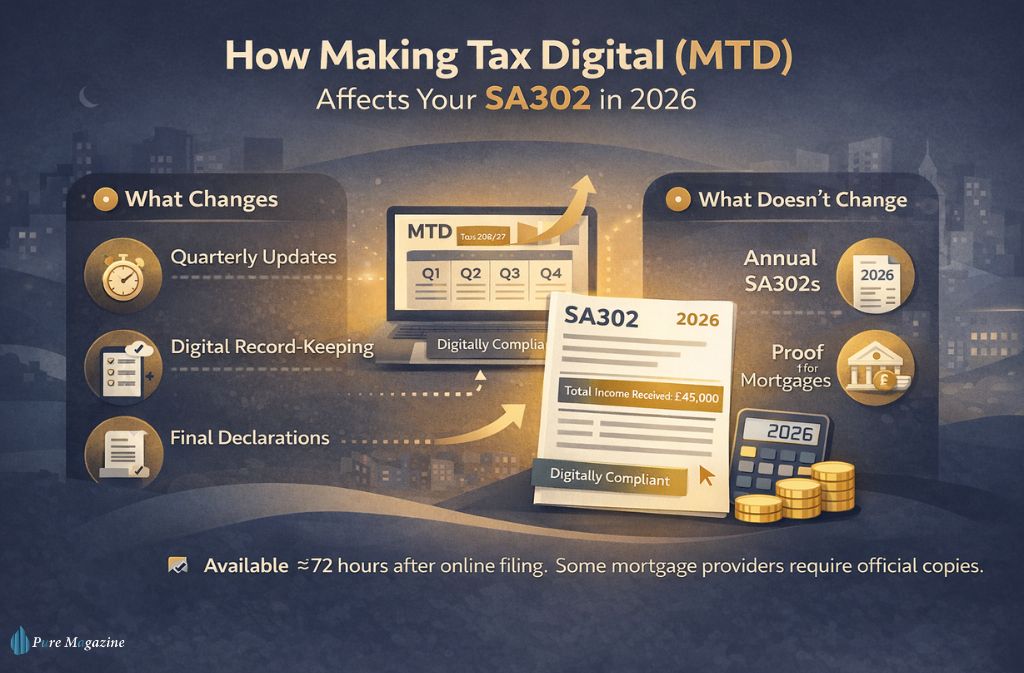
What Changes:
- Quarterly digital income updates
- Mandatory digital record-keeping
- A Final Declaration replacing the traditional end-of-year submission format
What Doesn’t Change (For Now):
- Lenders still rely on annual SA302 calculations
- Most mortgage underwriters assess completed tax years only
- Quarterly updates are not currently accepted as full proof of income
However, some brokers are already seeing lenders ask about interim income performance. We’re in a transition phase. Annual SA302s still matter — but digital income visibility is increasing. Those already navigating HMRC’s self assessment system online will find the shift to MTD-compatible software the most significant operational change.
Why an SA302 Can Understate a Director’s True Income
If you’re a Limited Company director, this part matters.
Your SA302 shows salary and dividends taken. It does NOT show retained profits inside the company, undrawn earnings, or corporate reserves.
Example:
- Salary: £12,570
- Dividends: £30,000
- Retained profits: £80,000
Your SA302 shows £42,570 — even though the company generated significantly more. Understanding dividend tax rates is essential for directors structuring their income, since the split between salary and dividends directly shapes what appears on the SA302 and therefore, what lenders see. Some lenders may consider retained profits with an accountant certification, but many high-street lenders will not. Director income strategy requires careful planning.
Digital Verification: Are SA302 Uploads Becoming Obsolete?
Some lenders are moving toward secure digital income verification. Large lenders such as HSBC and Barclays often accept digital downloads directly from your HMRC online account. Smaller building societies may still request accountant-certified copies or additional documentation. Manual uploads remain common — but digital verification is increasing.
What Your Broker Might Not Tell You
Here’s the uncomfortable reality.
Aggressively reducing your taxable income lowers your tax liability, your total income shown on SA302, and your mortgage affordability.
Claiming more expenses can save tax — but it can also reduce borrowing power. I’ve seen people save a few thousand in tax but lose tens of thousands in borrowing capacity.
This is especially relevant for self-employed individuals who claim working from home tax relief or significant business expenses — all legitimate and worthwhile, but they reduce the declared income figure lenders use to assess affordability. If a mortgage is likely within 12–24 months, speak to both your accountant and broker before making major financial adjustments.
Mortgage-Ready Documentation Checklist
| Document | Why It’s Needed | Where to Get It |
|---|---|---|
| SA302 (2–3 years) | Income verification | HMRC online account |
| Tax Year Overview | Confirms tax paid | HMRC portal |
| UTR | Identifies tax profile | HMRC letters |
| 6 months of business bank statements | Confirms income flow | Your bank |
| ID matching HMRC name | Prevents delays | Passport/Driving licence |
Pro tip: Applications stall because the HMRC profile said “Jon” while the passport said “Jonathan.” Make sure your name matches exactly across all documents.
Common Mistakes That Delay Approval
- Submitting SA302 without Tax Year Overview
- Filing late and applying immediately
- Unpaid tax without explanation
- Name mismatch across documents
- Selecting the wrong tax year
Worth checking: if you’ve ever been on an incorrect tax code, the resulting underpayment may show as an outstanding balance on your Tax Year Overview — a red flag for lenders that needs explanation before your application goes forward.
FAQs
Q. How do I obtain my SA302 from HMRC?
To obtain your SA302, log in to your online account with HM Revenue & Customs via the official GOV.UK SA302 page, go to Self Assessment, select the relevant tax year, and download the SA302 tax calculation as a PDF. If you filed online, it’s usually available within 72 hours, though peak January periods may take longer. You’ll need your Government Gateway ID, password, and National Insurance number.
Q. What is an SA302 used for?
An SA302 is used as official proof of income for self-employed individuals in the UK. Lenders request it for mortgage applications, remortgages, loan applications, and financial affordability checks. It confirms your total income, tax liability, and National Insurance contributions for a specific tax year. Knowing how much you can earn before paying tax helps you understand the personal allowance deduction that appears on the SA302 and how lenders interpret the total income figure.
Q. Is an SA302 the same as a tax return?
No. Your Self Assessment tax return is the document you submit to HMRC showing your income and expenses. The SA302 is the official tax calculation generated by HMRC after your return is processed. Tax return = your submission. SA302 = HMRC’s calculation.
Q. Is a SA302 the same as a P60?
No. A P60 is issued to employees at the end of the tax year and summarises salary and tax paid through PAYE. An SA302 is issued to self-employed individuals after filing a Self Assessment return and confirms total income and tax liability for that year.
Q. How many years of SA302 do lenders require?
Most UK lenders require two to three years of SA302s alongside matching Tax Year Overviews. They assess income consistency, growth or decline, whether tax has been paid, and overall affordability.
Q. What is the difference between an SA302 and a Tax Year Overview?
An SA302 shows your income breakdown and tax calculation. A Tax Year Overview confirms how much tax has been paid or remains outstanding. Lenders typically require both documents together — the SA302 proves earnings, the Tax Year Overview proves payment status.
Q. Does Making Tax Digital (MTD) replace the SA302 in 2026?
No. From April 2026, individuals earning over £50,000 must submit quarterly digital updates under MTD for Income Tax, as confirmed in GOV.UK’s MTD eligibility guidance. However, lenders still rely on annual finalised tax calculations, meaning the SA302 (or equivalent final declaration calculation) remains essential for mortgage applications.
Q. Can my accountant provide an SA302?
Yes, your accountant can generate a tax calculation using commercial software. However, many lenders prefer the SA302 downloaded directly from your HMRC online account to ensure it matches official records. Confirm with your mortgage broker or lender before submitting accountant-generated documents.
Q. How long does it take for an SA302 to become available?
After submitting your Self Assessment tax return online, your SA302 is typically available within 72 hours. During peak filing periods (late January), processing times may be longer due to system demand. Filing early — well ahead of the Self Assessment deadline — avoids this bottleneck entirely.
Q. What details appear on an SA302?
An SA302 includes your name and Unique Taxpayer Reference (UTR), the tax year covered, total income received, income tax calculation, National Insurance contributions, final tax liability, and any outstanding amounts. Lenders mainly focus on your total income and the relevant tax year.
Conclusion
The SA302 isn’t just another tax document. It’s your proof of income when it matters most.
It’s an official tax calculation from HMRC — not your tax return, not a P60. Lenders usually require two to three years’ worth, paired with matching Tax Year Overviews. MTD in 2026 changes the reporting process, but annual SA302s remain the mortgage standard for now.
If a mortgage or loan is even a possibility this year, log into your HMRC online account and download your SA302 today. Use the new tax year as a natural trigger to pull your documents, check your records are in order, and confirm you’re prepared for whatever MTD requirements apply to your income level. Future-you will be grateful.
Whether you’re untangling a tax code, calculating take-home pay, or navigating HMRC deadlines, Pure Magazine covers the UK tax and finance questions that actually matter to real people.